Strength training,
dialed in for the whole family.
Build your plan, run the session, and watch the numbers move. Strength and conditioning, live timers, RPE-aware progression, muscle heatmaps, and real training analytics — on the web, iPhone, Android, and Apple Watch.
Free plan is permanent. Paid memberships add a 7-day free trial.
Built for lifters, families, and coaches
One account covers your whole crew. Every member gets their own workouts, history, and progress — and admins can plan and log for anyone in the family.
Templates & Scheduling
Build reusable workout templates, plan them onto your calendar, and start a session in one tap. Save a session you improvised as a routine, or fold it back into the one it came from.
Strength & Conditioning TrackingNew
Log reps, load, set RPE, timed work, distance, and sprint splits. Run EMOM, AMRAP, Tabata, and For Time blocks with continuous clocks and save the score with the session.
RPE-Aware Progression & DeloadsNew
Targets, set RPE, and whole-workout effort produce a bounded next-load suggestion with the reason shown. Percent-of-1RM programming and scheduled deload weeks are built in.
Muscle Heatmap
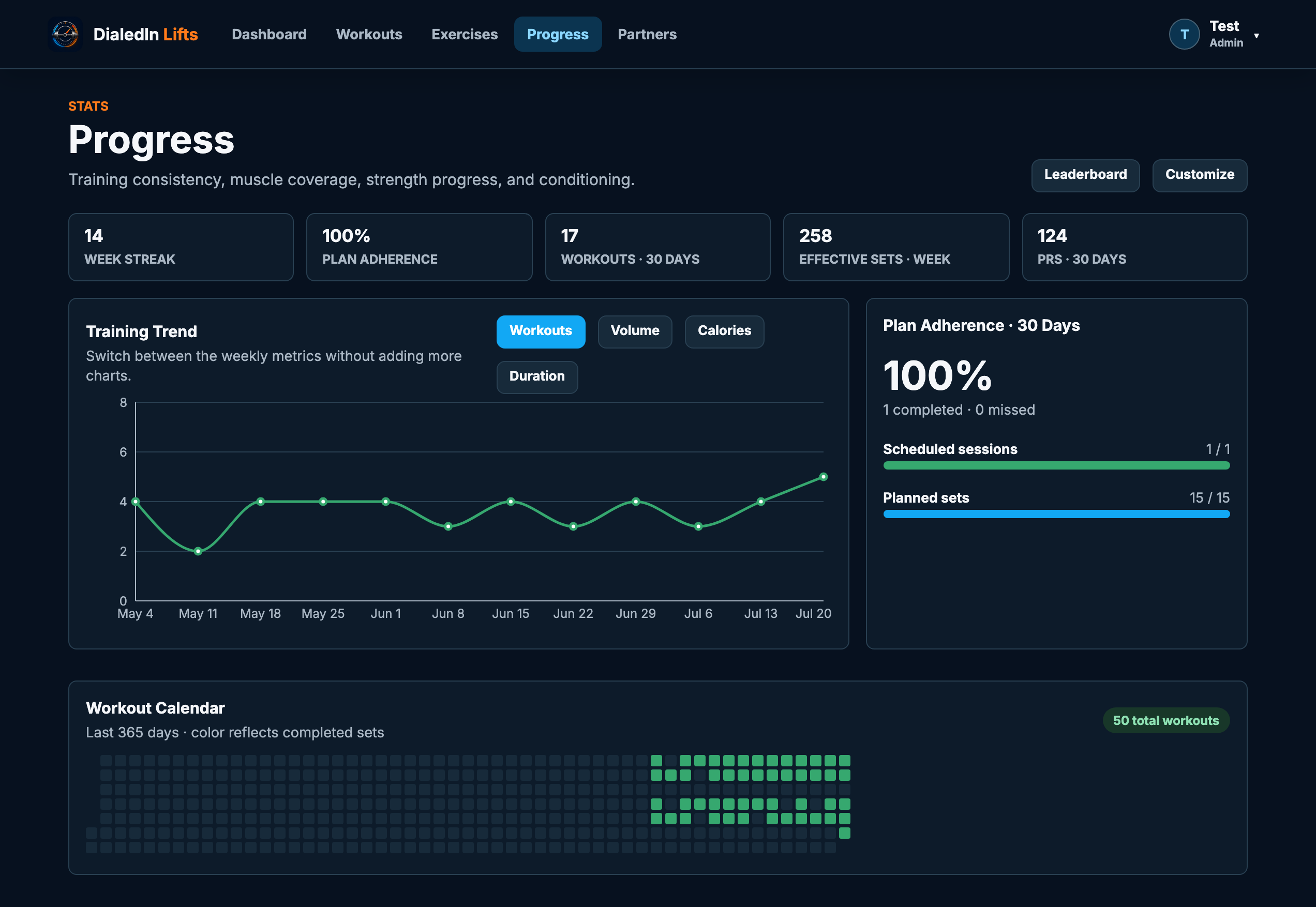
See effective sets per muscle on a full-body map each week, flip to the recovery view, and catch the muscle groups you keep skipping.
Real Strength Analytics
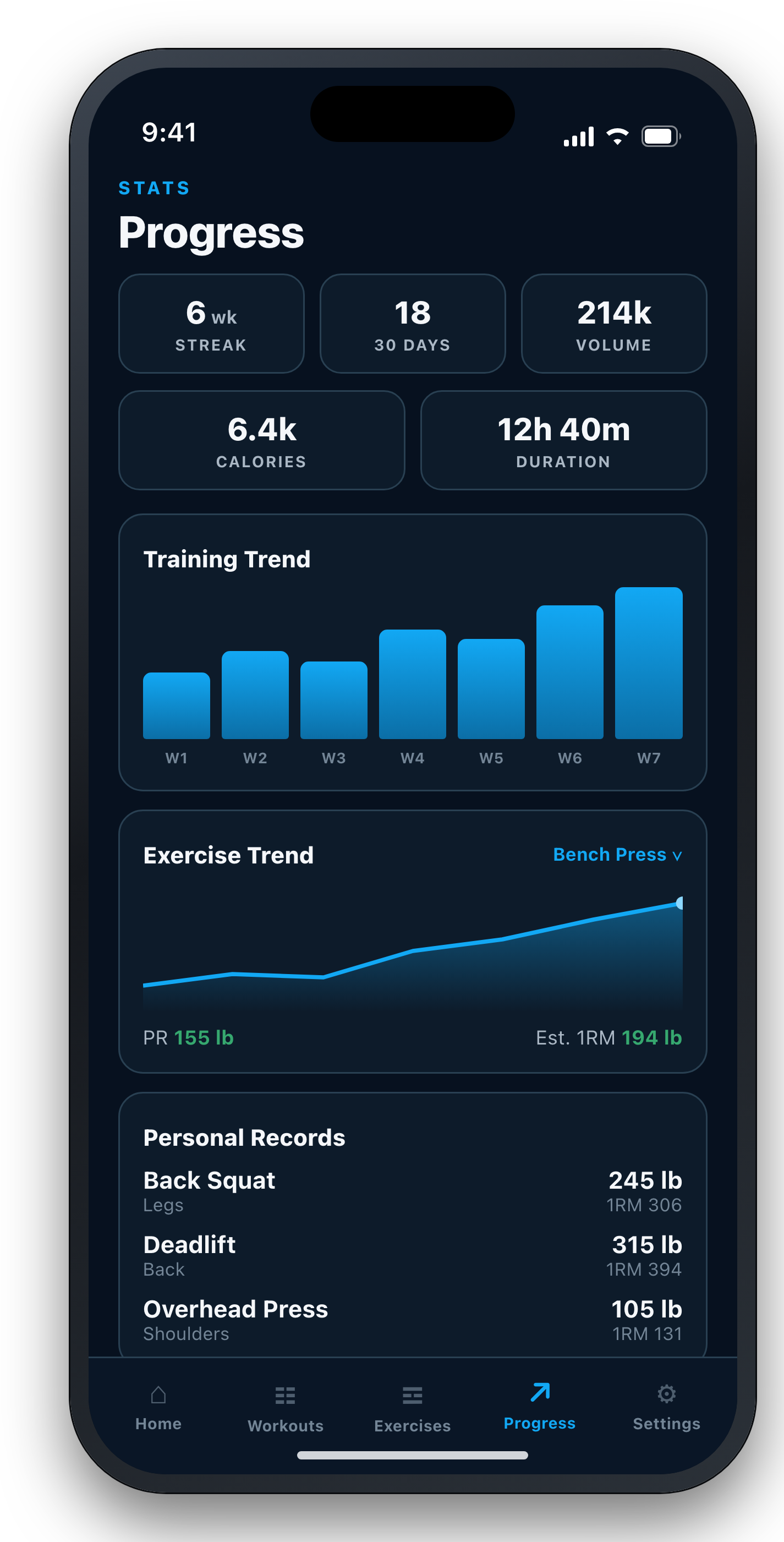
Estimated 1RM trends, strength standards against body weight, rep-range distribution, training density, PRs, streaks, and lifetime totals.
Milestones & ClubsNew
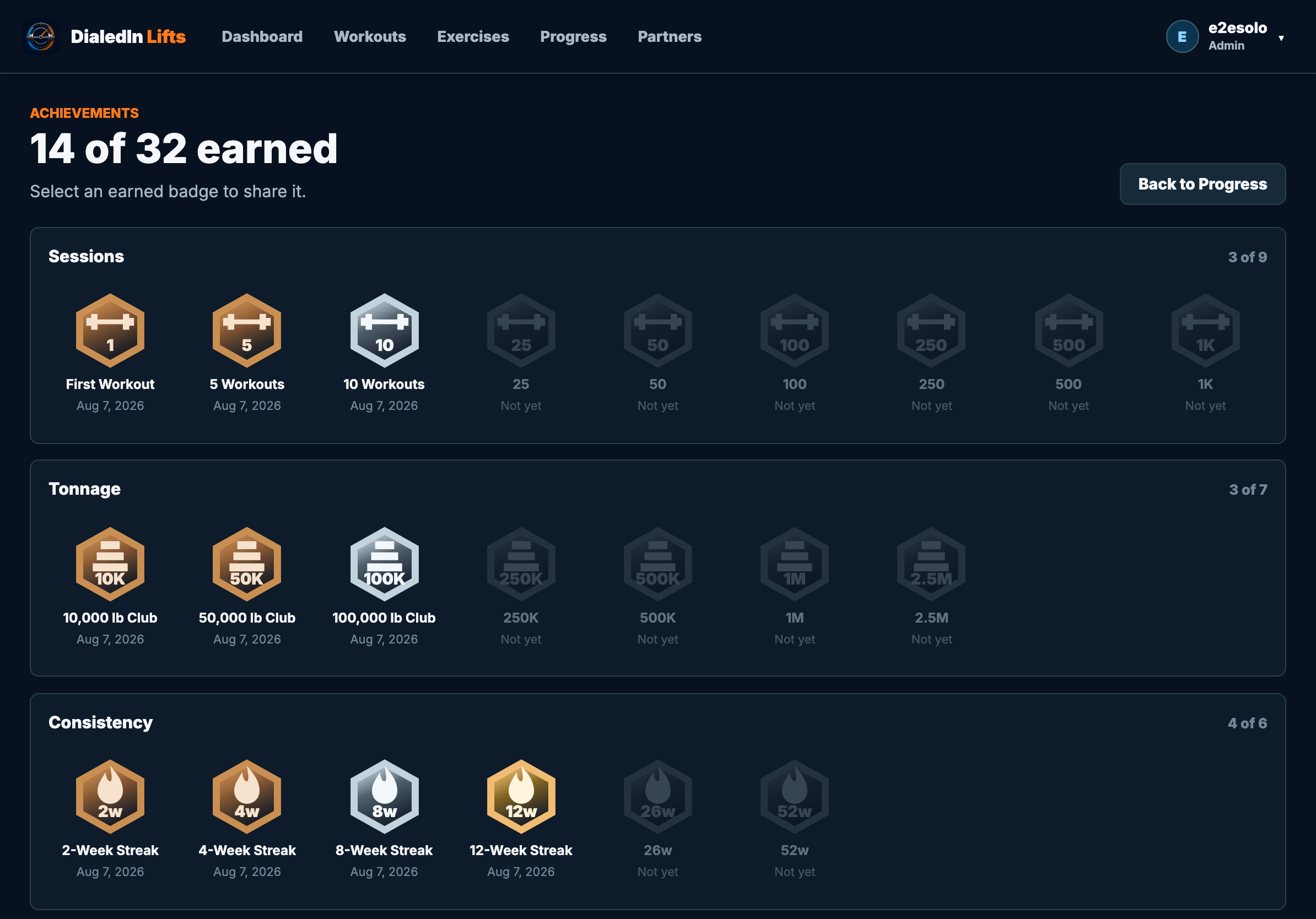
Badges you actually earn — session counts, lifetime tonnage, week-on-week streaks, and the total clubs: bench plus squat plus deadlift at 500, 750, 1,000 and up. Every one is a graphic you can post.
Training PartnersNew
Connect with a lifting partner by username, share a structured workout straight to their calendar, and celebrate each other's milestones — privately.
70 Programs, 340+ Exercises
Classic strength programs — StrongLifts, Starting Strength, Texas Method, push/pull/legs — plus sport blocks for 14 sports at youth, high school, and collegiate level, each with its own in-season and off-season plan. Written for the season you are actually in.
Find Your SportNew
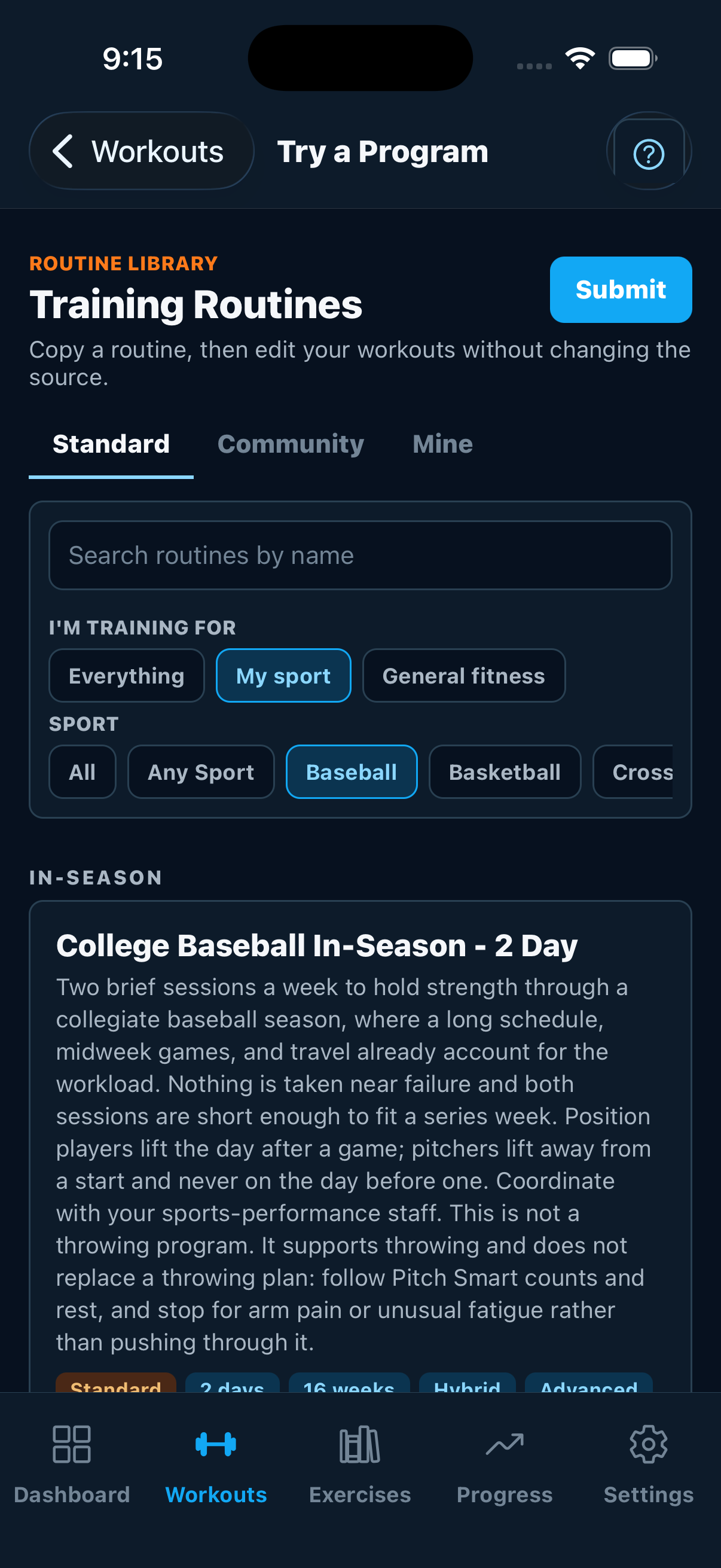
Say what you're training for and the catalog answers. Pick your sport and you get that sport's plans grouped by In-Season, Off-Season, and Year-Round, so a shortstop in April and a shortstop in December don't get handed the same block. Not an athlete? Choose a goal instead — get stronger, build muscle, start out, or train with almost no equipment.
Equipment-Aware Swaps
Tell DialedIn what your gym actually has and programs substitute the lifts you can't do — so a dumbbell-only week doesn't break the plan. Swap mid-session and the load never carries across: you get your own history on the new movement, or a blank weight to set, never the barbell's number on a pair of dumbbells.
Family & Coach Accounts
Separate logins per member, admin controls, a roster showing who trained this week, one-click program assignment, and opt-in team leaderboards.
Groups & SquadsNew
Run football and baseball off one membership. Put athletes in groups, tag them Varsity or JV, then assign a program to a whole group — or just one tag — in a single click.
Assistant CoachesNew
Give an assistant coach their own login scoped to the groups they run. They see their roster and nobody else's, and leaderboards rank athletes against their own squad.
Season TurnoverNew
Archive a graduating athlete to free the seat without deleting anything — then hand them their training history on a free personal account whenever they want it. Archive a whole group between seasons and restore it, roster and tags intact.
School ModeNew
Tick one box if you're a school, district, or college and the features that would send a student's data outside your organization switch off — no policy document required, and nothing to configure feature by feature.
Parent & Guardian AccessNew
Invite a parent by email to review their athlete's workouts, schedule, and progress. They can see everything and change nothing about the training, they never use one of your seats, and access ends by itself when the athlete turns 18. Disclosures that need a parent's permission — appearing on a leaderboard, for instance — stay off until they approve it themselves.
Calendar SubscriptionNew
Subscribe to your training schedule from Apple Calendar, Google Calendar, or Outlook. Planned sessions show up next to the rest of your life.
Apple Watch & HealthNew
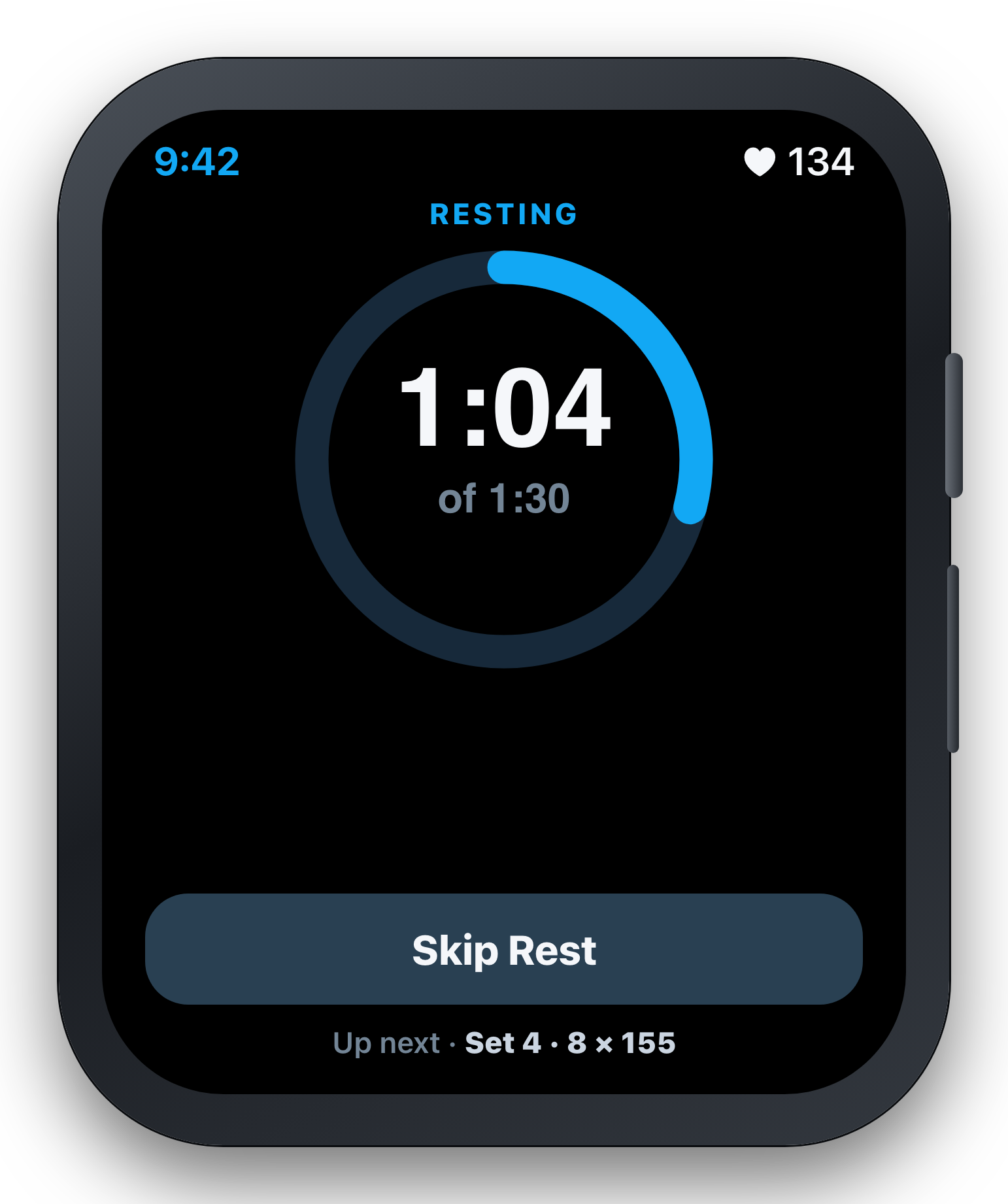
Control strength sets, timed work, sprint timing, distance, and conditioning clocks from your wrist after starting on iPhone. Or record a Watch-only Open Workout that syncs later. Heart rate, calories, and workout effort flow through Apple Health. Log a set from the wrist and the phone stops holding its screen awake, so it can sleep in your pocket while you train.
Offline RecoveryNew
Cached workout plans, active timers, entered results, and queued completions survive poor signal, app restarts, and an expired login. Mobile and web sync the saved completion after you reconnect and sign in.
Bring Your History
Import your logs from Strong or Hevy by CSV, and export your own training data whenever you want it. Your history stays yours.
Reminders & Weekly Recap
Optional workout-day reminders, rest-timer alerts on a locked phone, and a Monday email recapping last week's training, PRs, and the week ahead.
Private & Secure
Your family's data stays inside your subscription. Role-based access, optional two-factor login, and admin-scoped exports and backups.
Honest Session ReviewNew
See workout RPE, heart rate, calories, protocol scores, and that session's muscle balance. Athletes and authorized admins can correct duration, health metrics, notes, and set results.
Exercise FeedbackNew
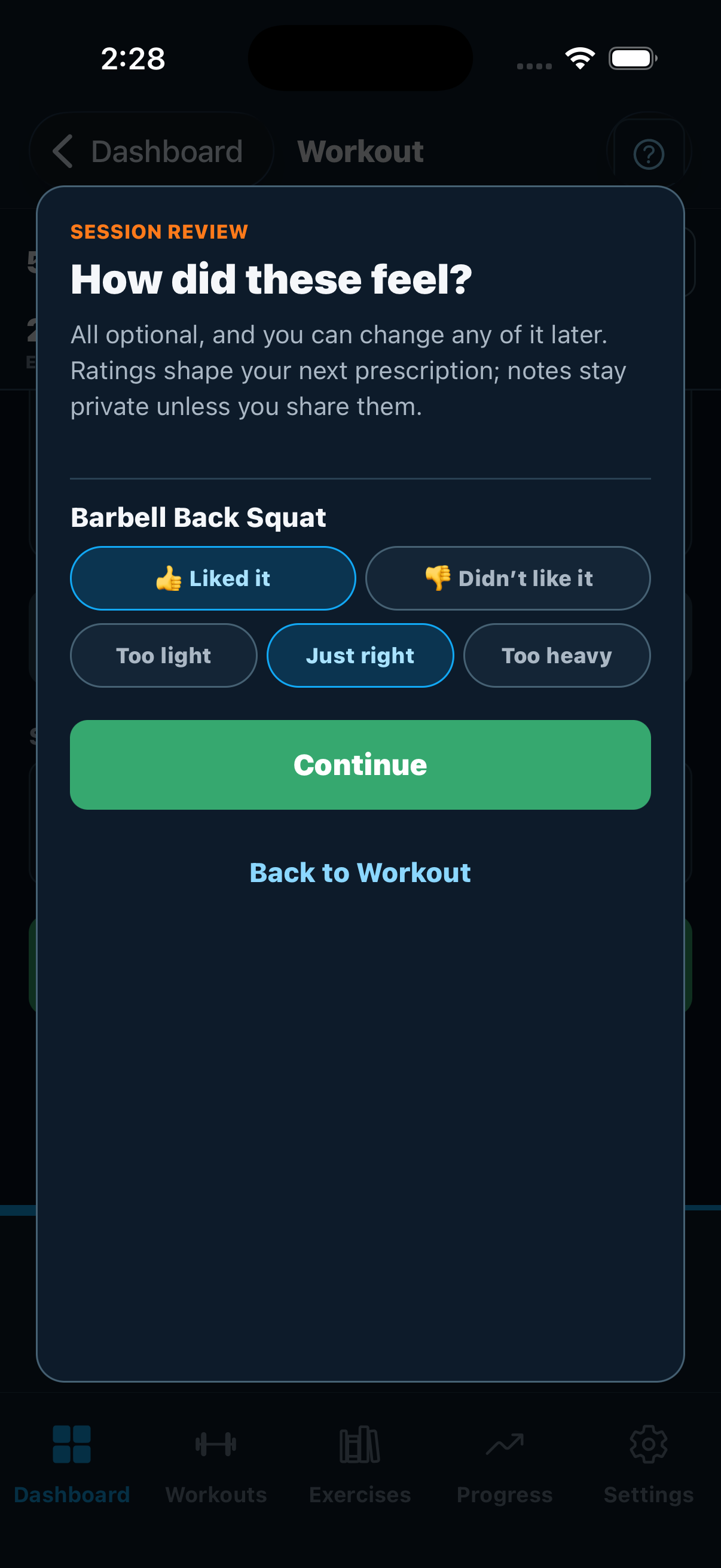
One tap per exercise: did it feel good, and was the weight too light, right, or too heavy. Coaches, family admins, and linked guardians see the ratings; free-form notes stay private unless the athlete shares them.
Athletes Needing ReviewNew
One list across your whole roster showing who disliked a movement or flagged its load, most concerning first, with the notes they chose to share. One request, not one per athlete.
Setup Notes That StickNew
Rack height, seat position, band colour — written once and shown again the next time that exercise comes up, on any device. Saved separately from the workout, so discarding a session never loses them.
Repeat Last SessionNew
Add an exercise mid-workout and it arrives as a mirror of the last time you did it — same sets, reps, and weights as today's targets. Progressing is an edit, not data entry.
Supersets & CircuitsNew
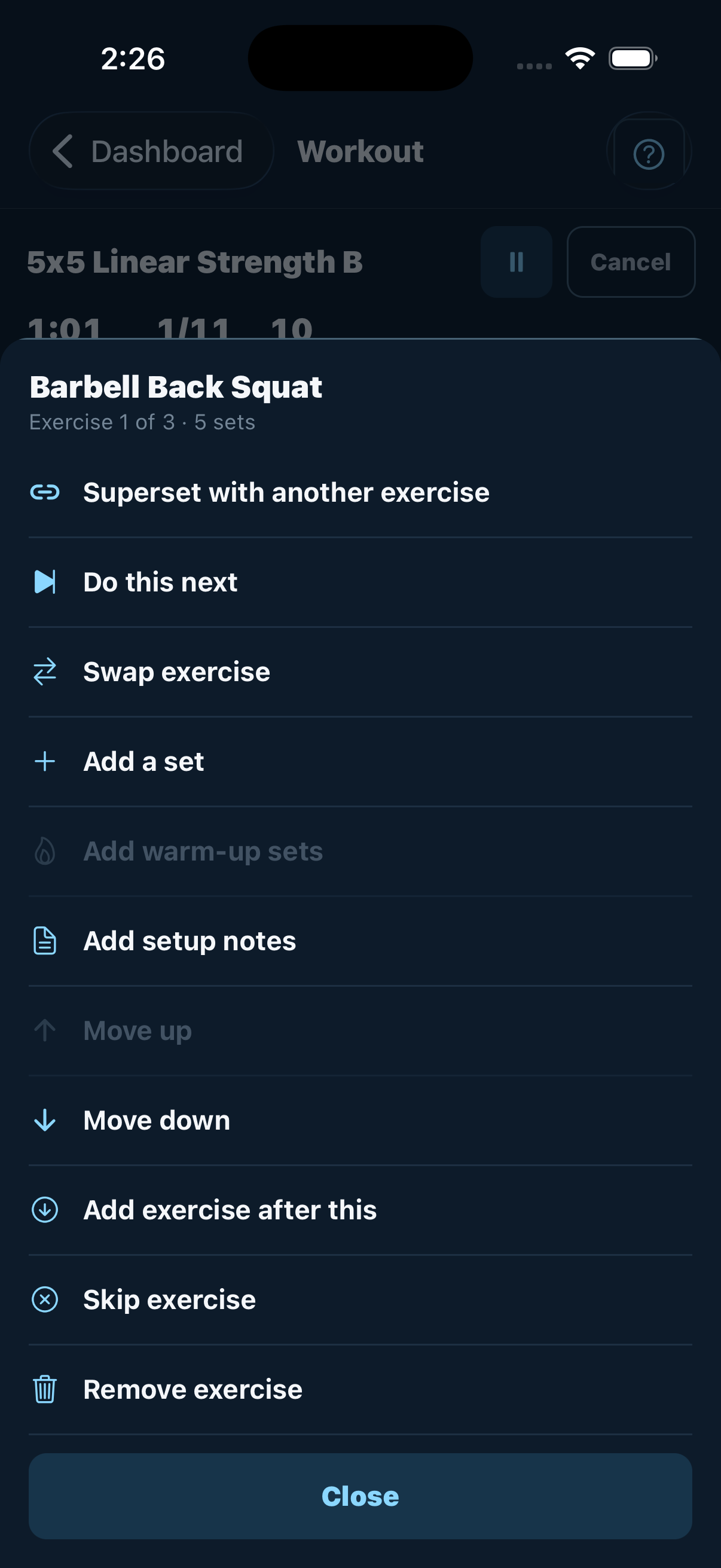
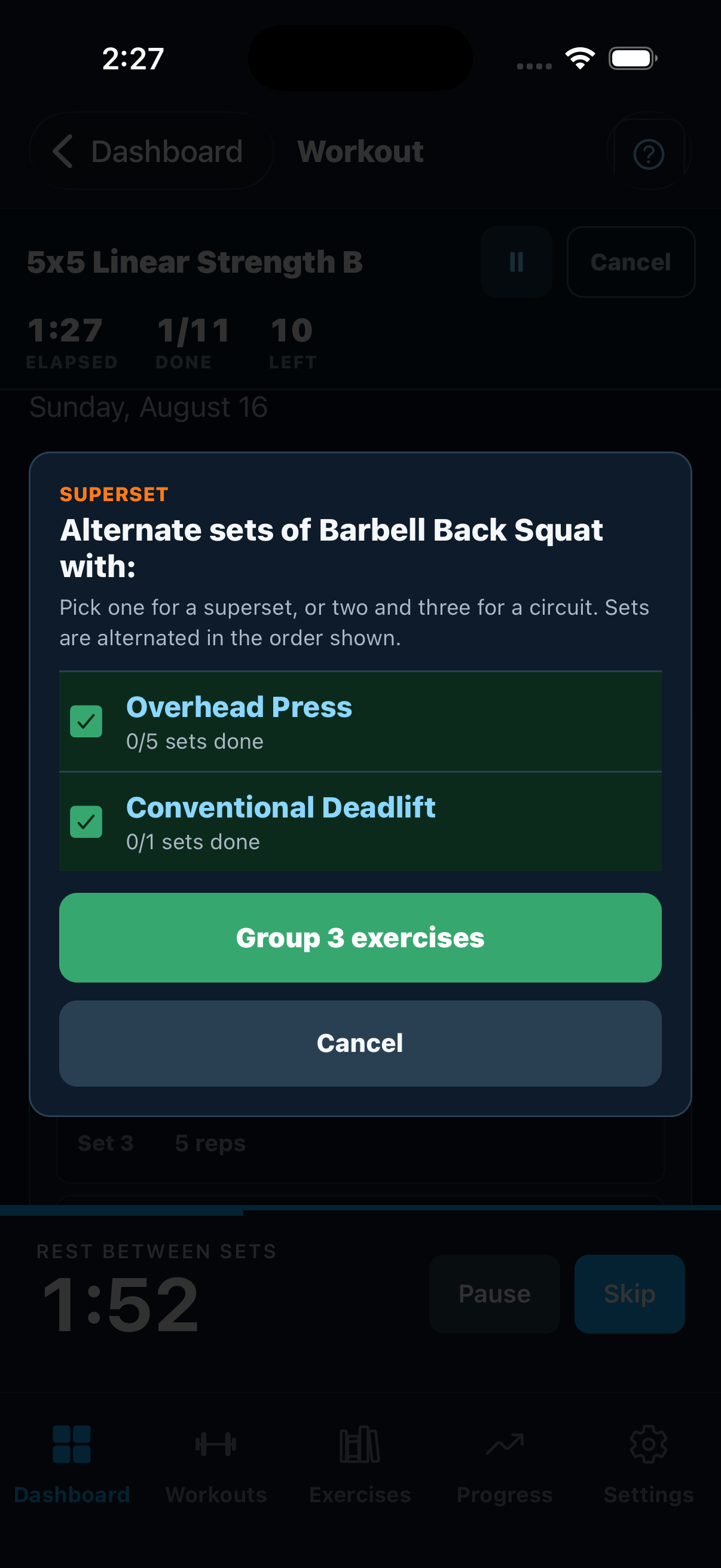
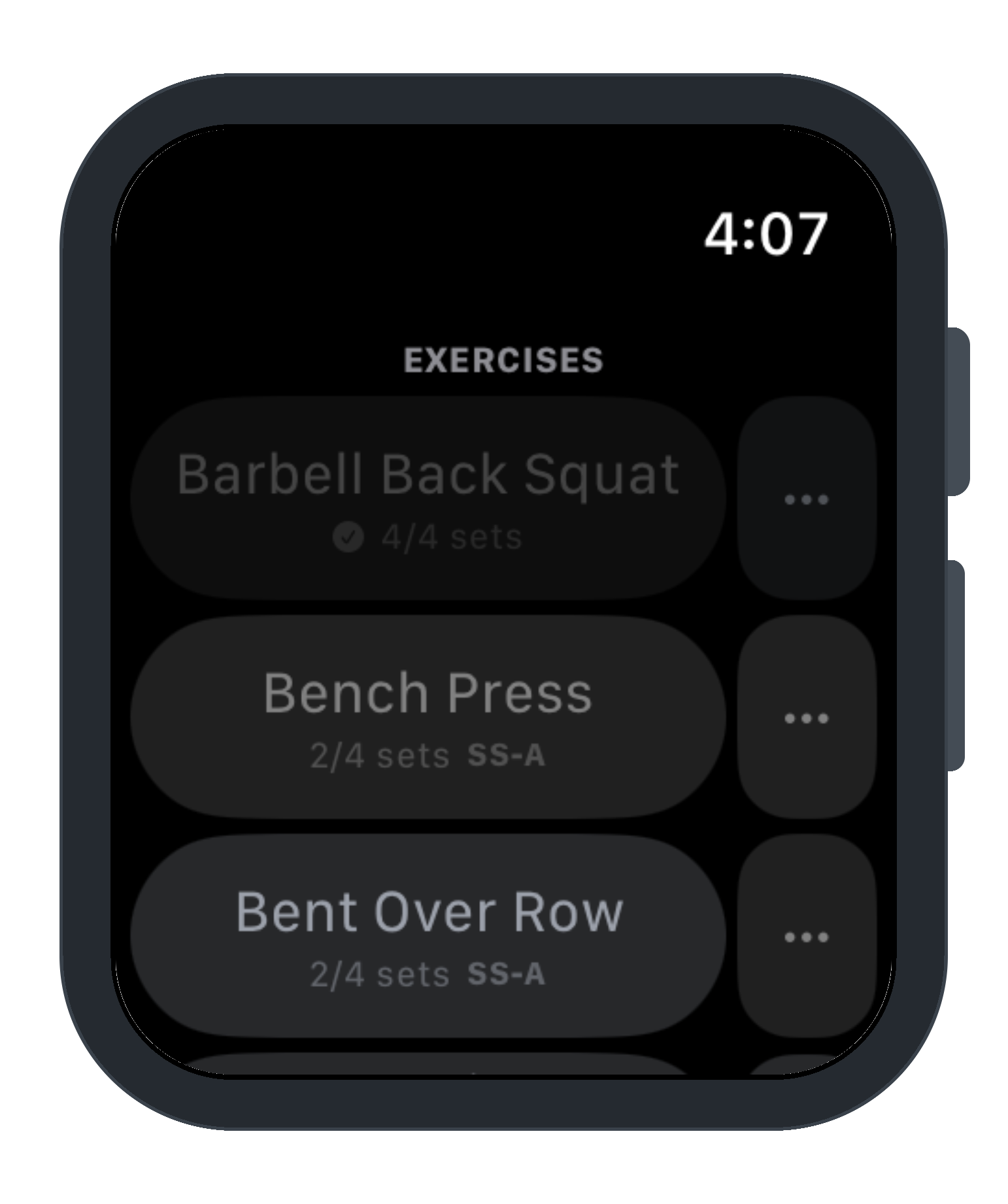
Tick as many movements as you want and group them in one go — two for a superset, three or four for a circuit. Sets alternate automatically and rest timers know the difference.
Ask Only What You WantNew
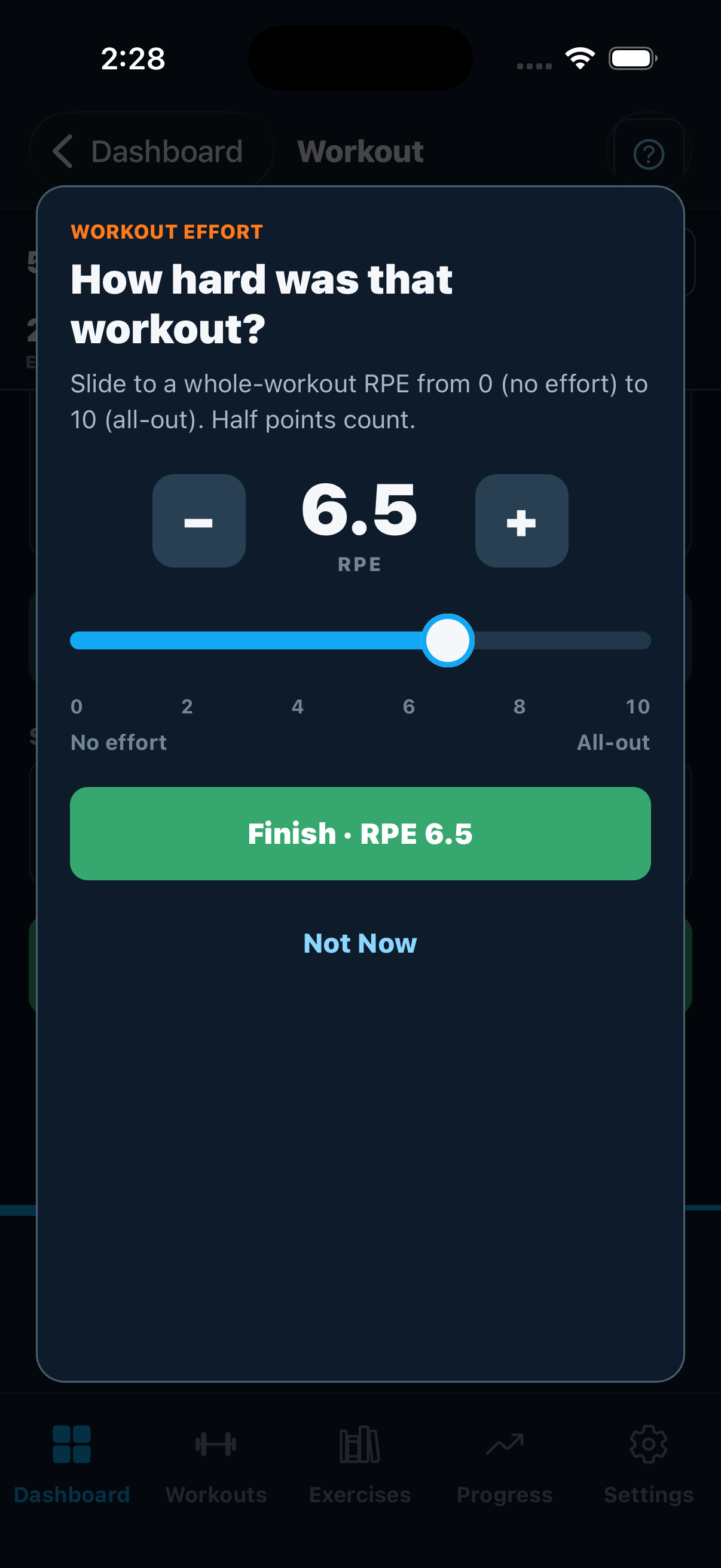
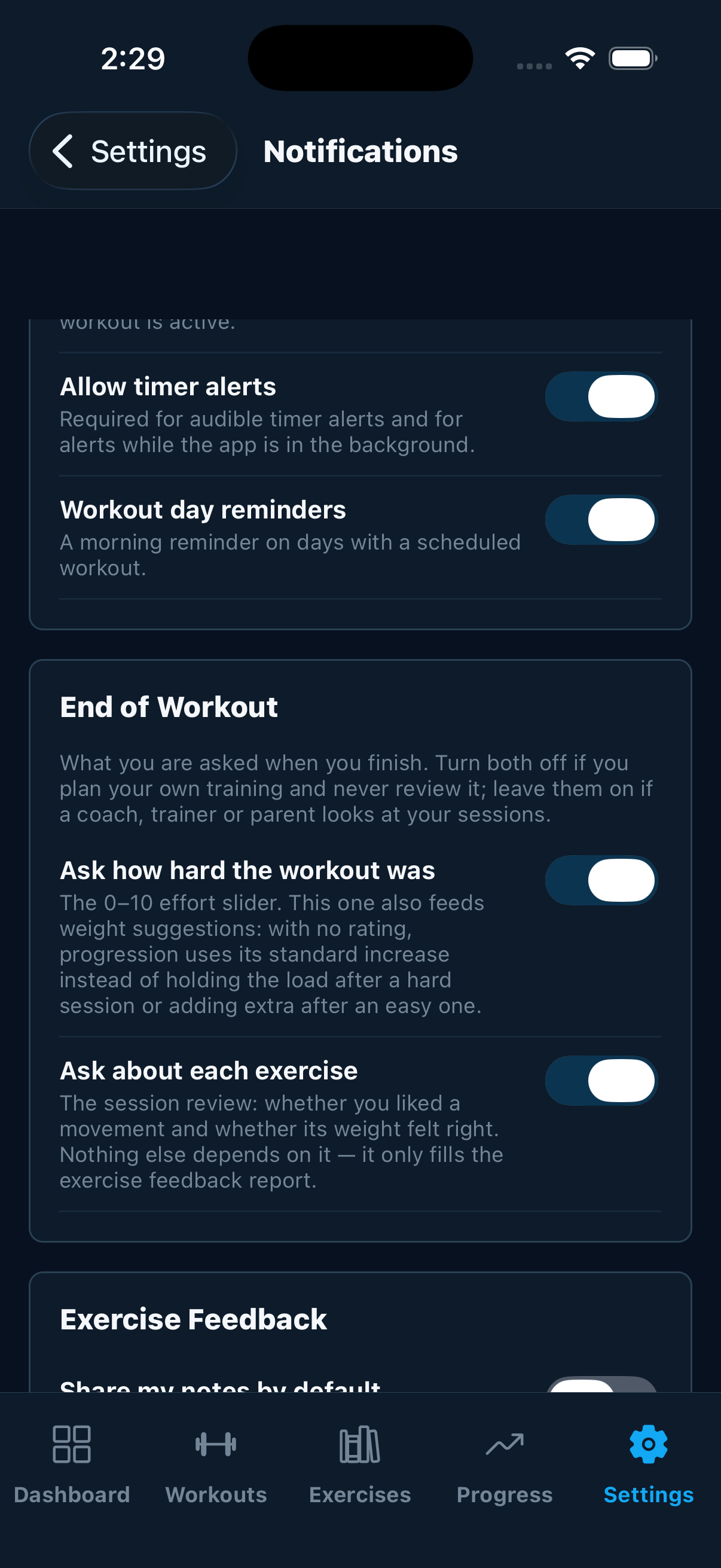
The end-of-workout effort slider and the per-exercise review are each optional, per athlete. Train alone and finish in one tap; coach a team and keep both.
Your training command center
The full experience in any browser — plan, track, analyze, and manage your family's training from one dashboard. Nothing to install.
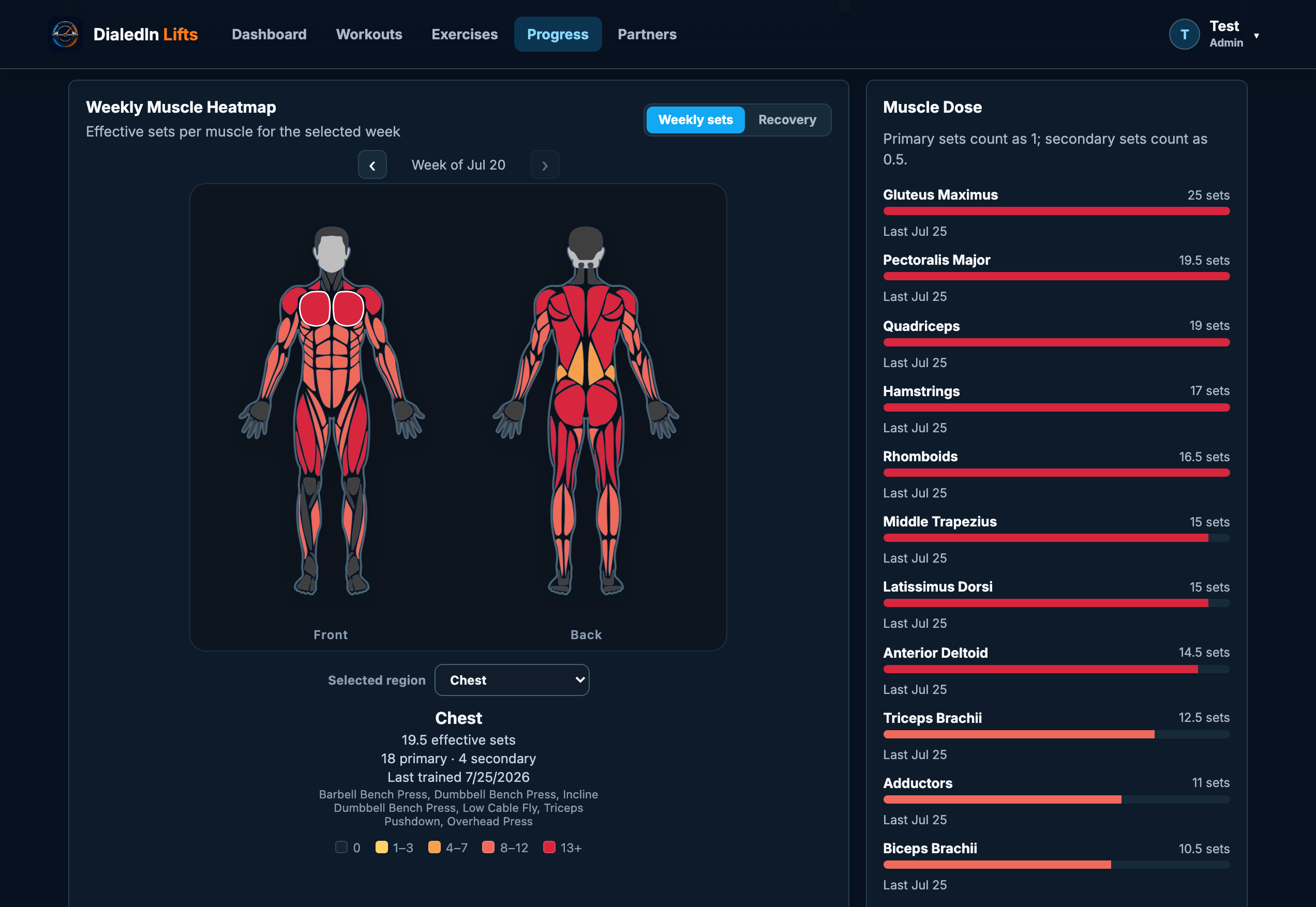
Train what you've actually been training
The weekly muscle heatmap counts effective sets per muscle — primary sets full, secondary sets half — so imbalance shows up as color before it shows up as an injury.
- Front and back body map, week by week
- Recovery view for what's still fatigued
- Muscle dose list with last-trained dates
- Tap a region for the exact lifts that hit it
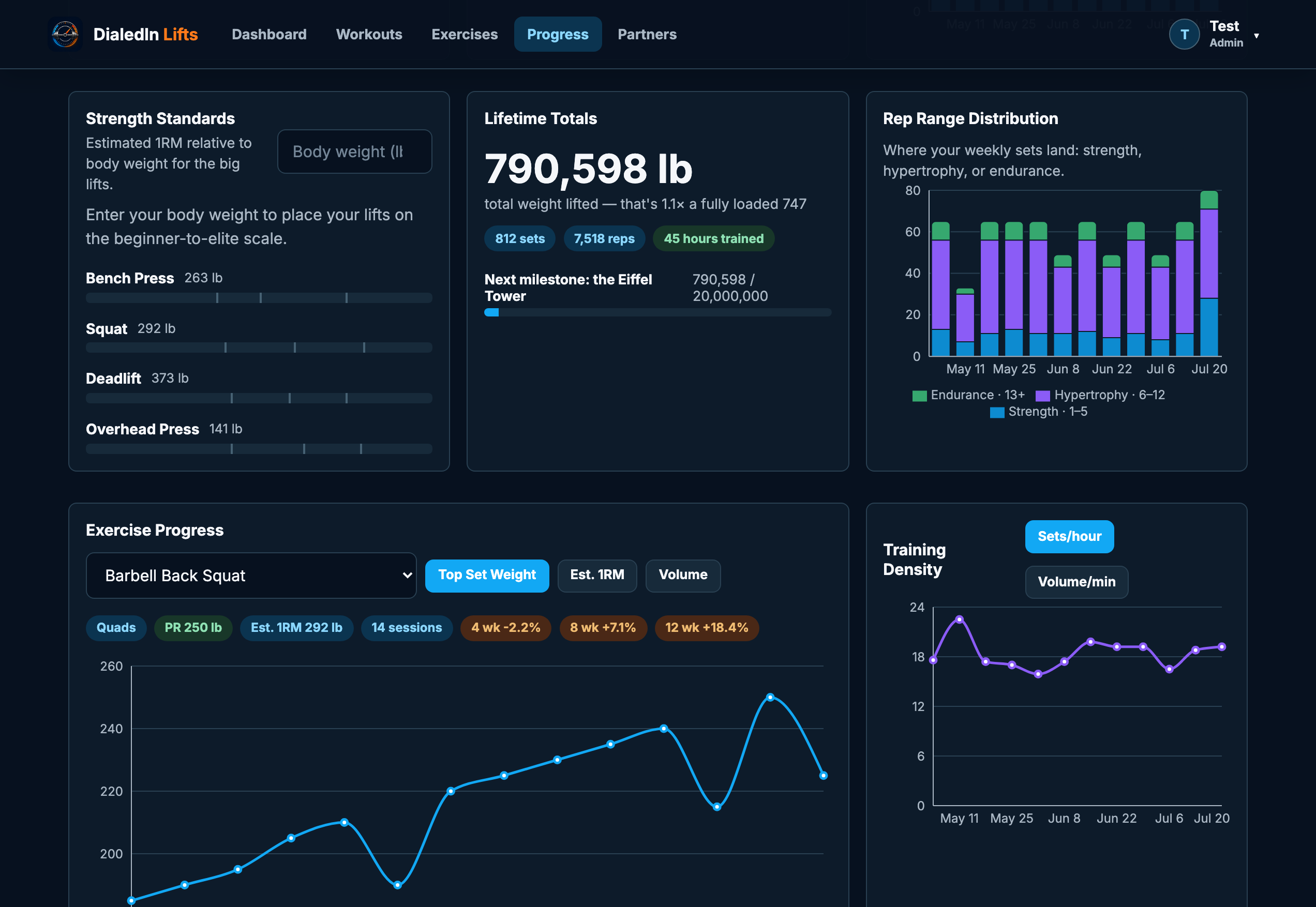
Numbers that actually mean something
Not just a workout log. Estimated 1RM per lift, strength standards scaled to your body weight, where your sets land across strength, hypertrophy, and endurance, and how dense your sessions really are.
- Per-exercise 1RM, top set, and volume trends
- 4-, 8-, and 12-week change on every lift
- Beginner-to-elite strength standards
- Lifetime totals, sets, reps, and hours trained
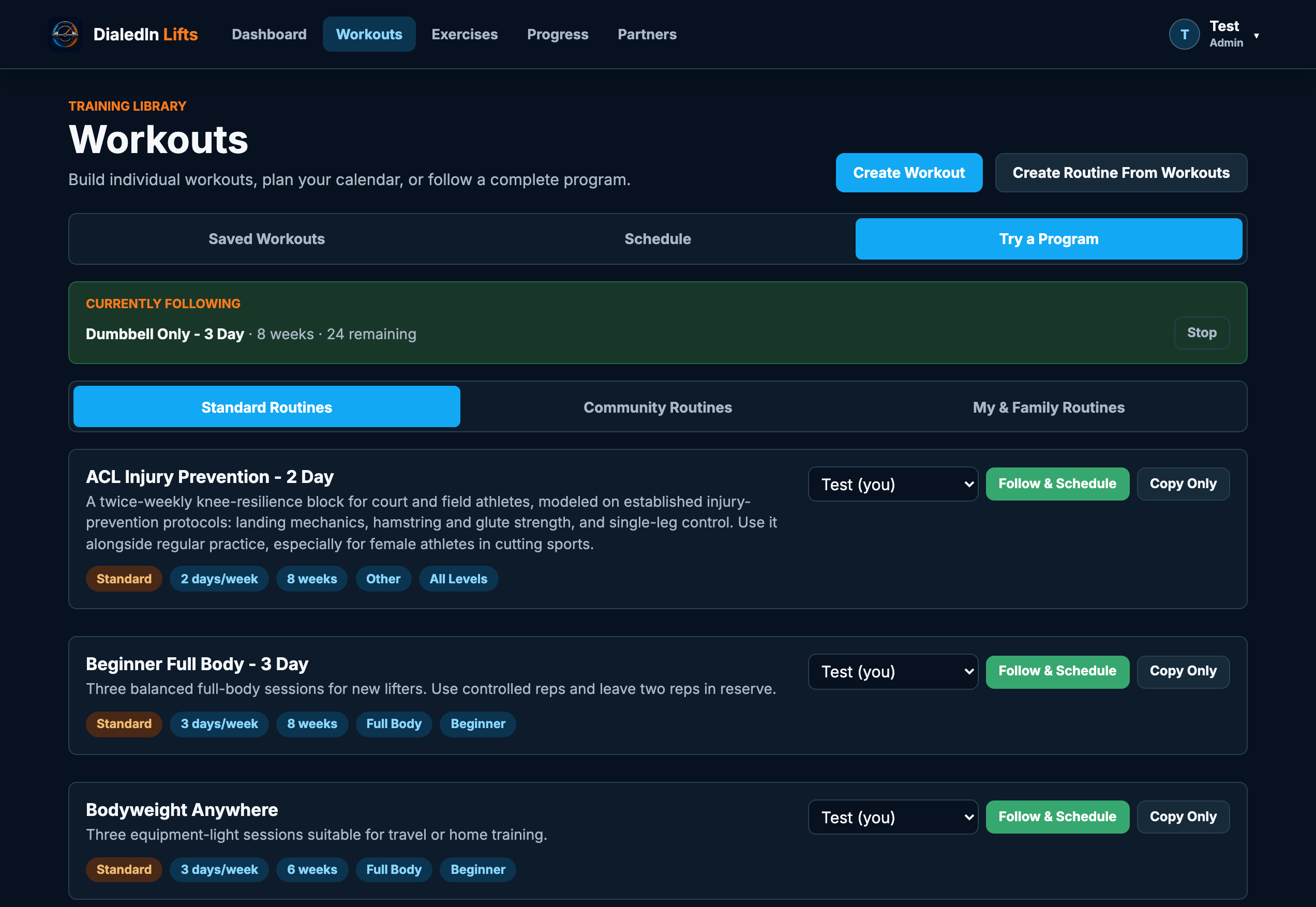
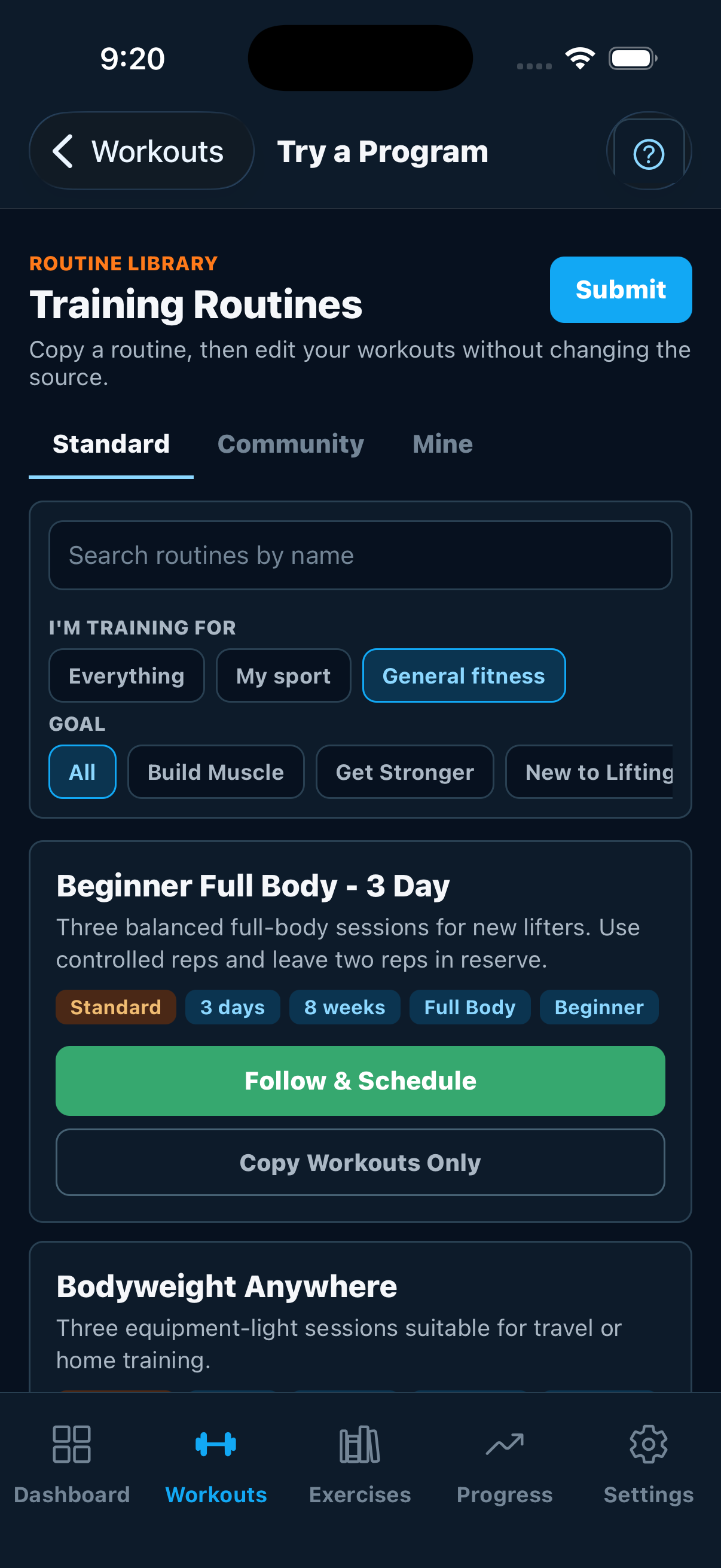
Follow a real program, not a blank page
70 complete programs ship with the app — StrongLifts 5×5, Starting Strength, Texas Method, push/pull/legs, upper/lower, dumbbell-only, bodyweight — plus youth, high school and collegiate blocks for 14 sports, with separate in-season and off-season plans: baseball, softball, football, basketball, soccer, hockey, volleyball, wrestling, golf, tennis, lacrosse, swimming, track, and cross country.
- Pick your sport and get its in-season and off-season plans, grouped
- Youth, high school, and collegiate versions of each
- Follow & schedule the whole program in one click
- ACL injury prevention, vertical jump, and general athletic development
- Family admins publish their own routines to the crew
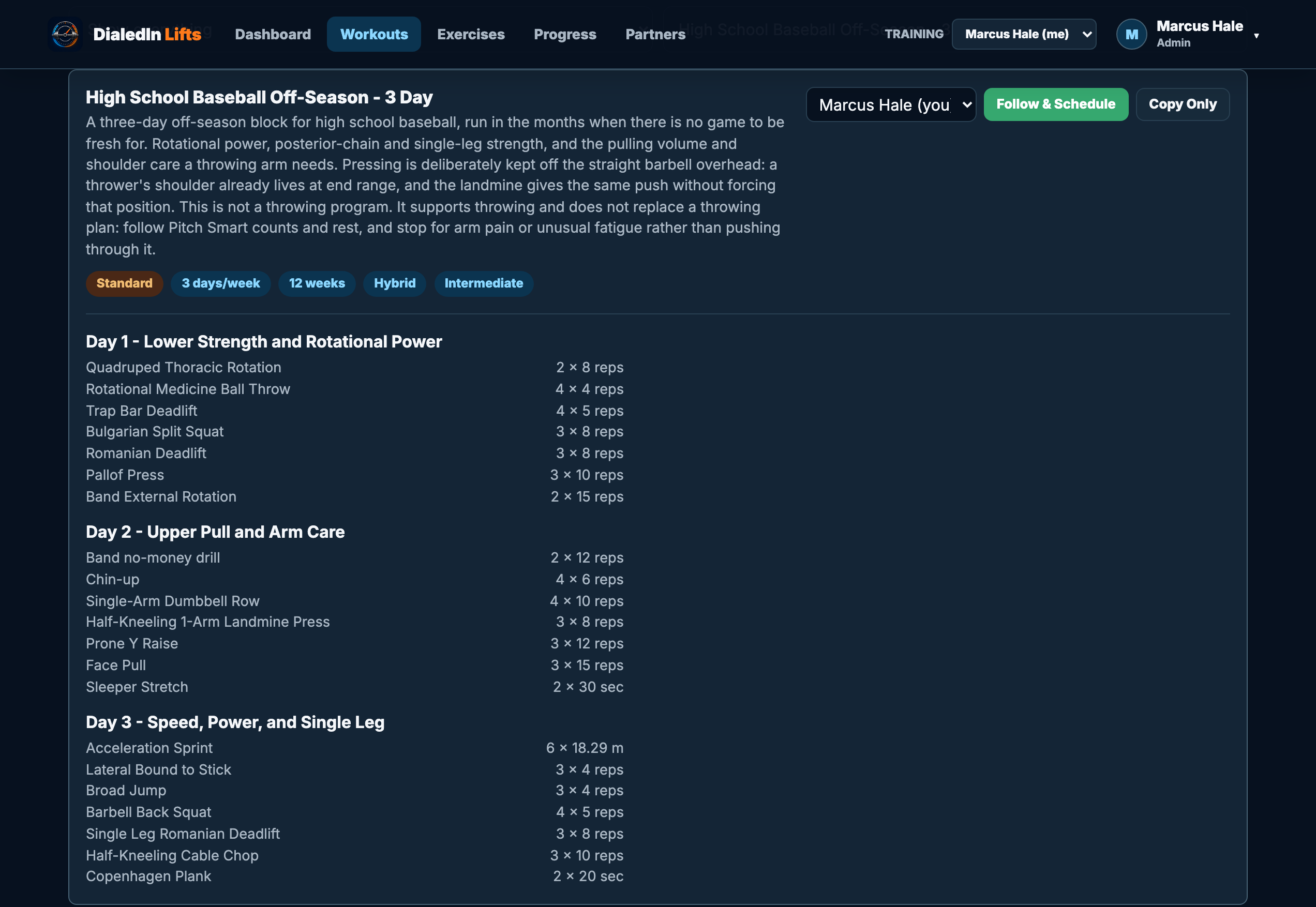
Open one and it's a real plan
Every program expands to the actual sessions — each training day, every movement, and the sets, reps, holds and distances written for it. No "week 1: chest day" hand-waving. The off-season baseball block below prescribes landmine pressing instead of straight-bar overhead work, because a throwing shoulder already lives at end range, and that reasoning is written into the plan you're reading.
- Every session and prescription visible before you commit
- Reps, timed holds, and sprint distances, each in their own units
- Coaching notes per day, not just a list of lifts
- Deload weeks scheduled automatically and marked on the calendar
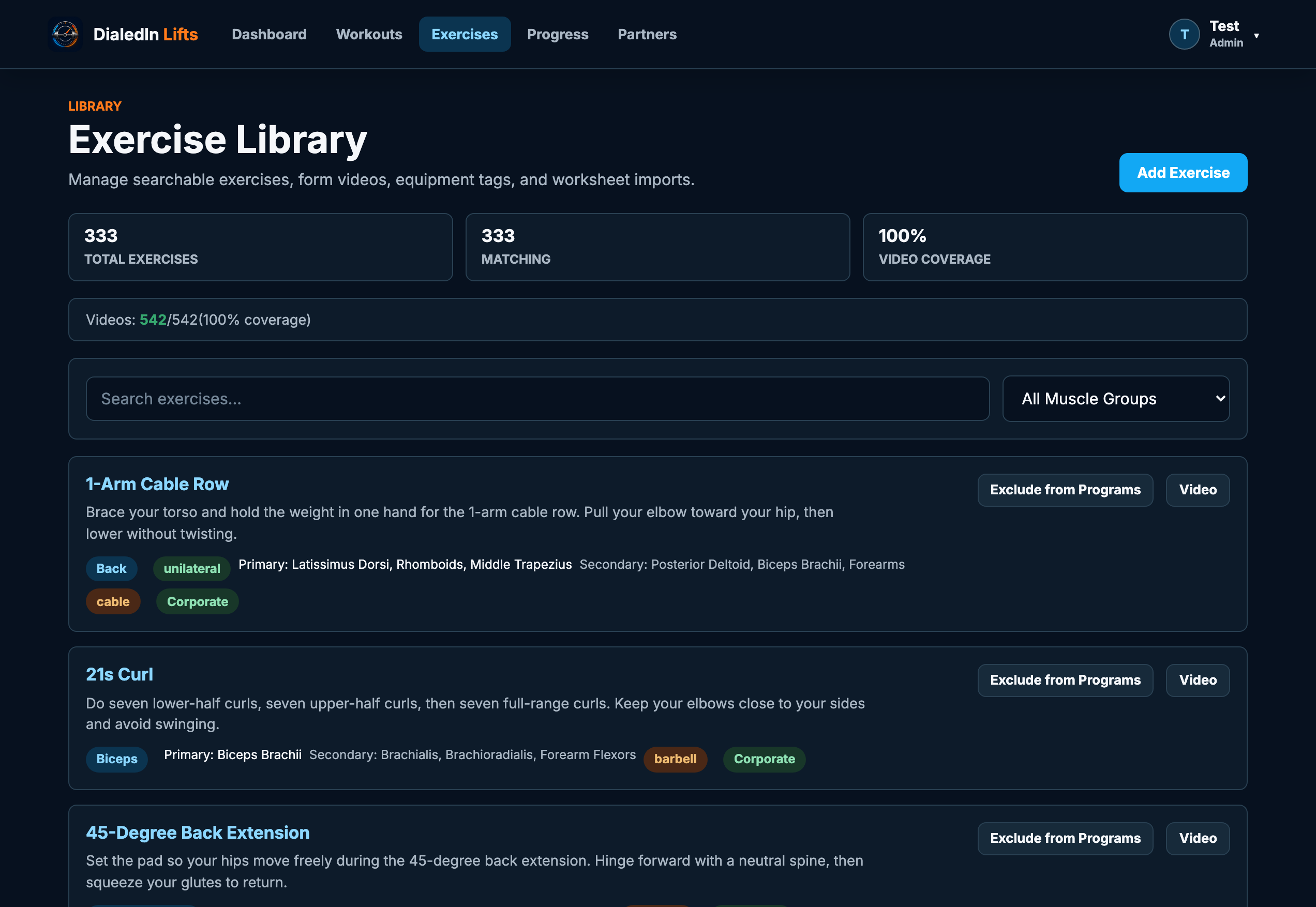
Every exercise, searchable
A curated catalog of 340+ exercises with primary and secondary muscles, equipment, and form video — plus your own custom exercises when your setup is unusual.
- Filter by muscle group and equipment
- Primary and secondary muscle tagging drives the heatmap
- Create family custom exercises
- Submit your best ones for the shared catalog
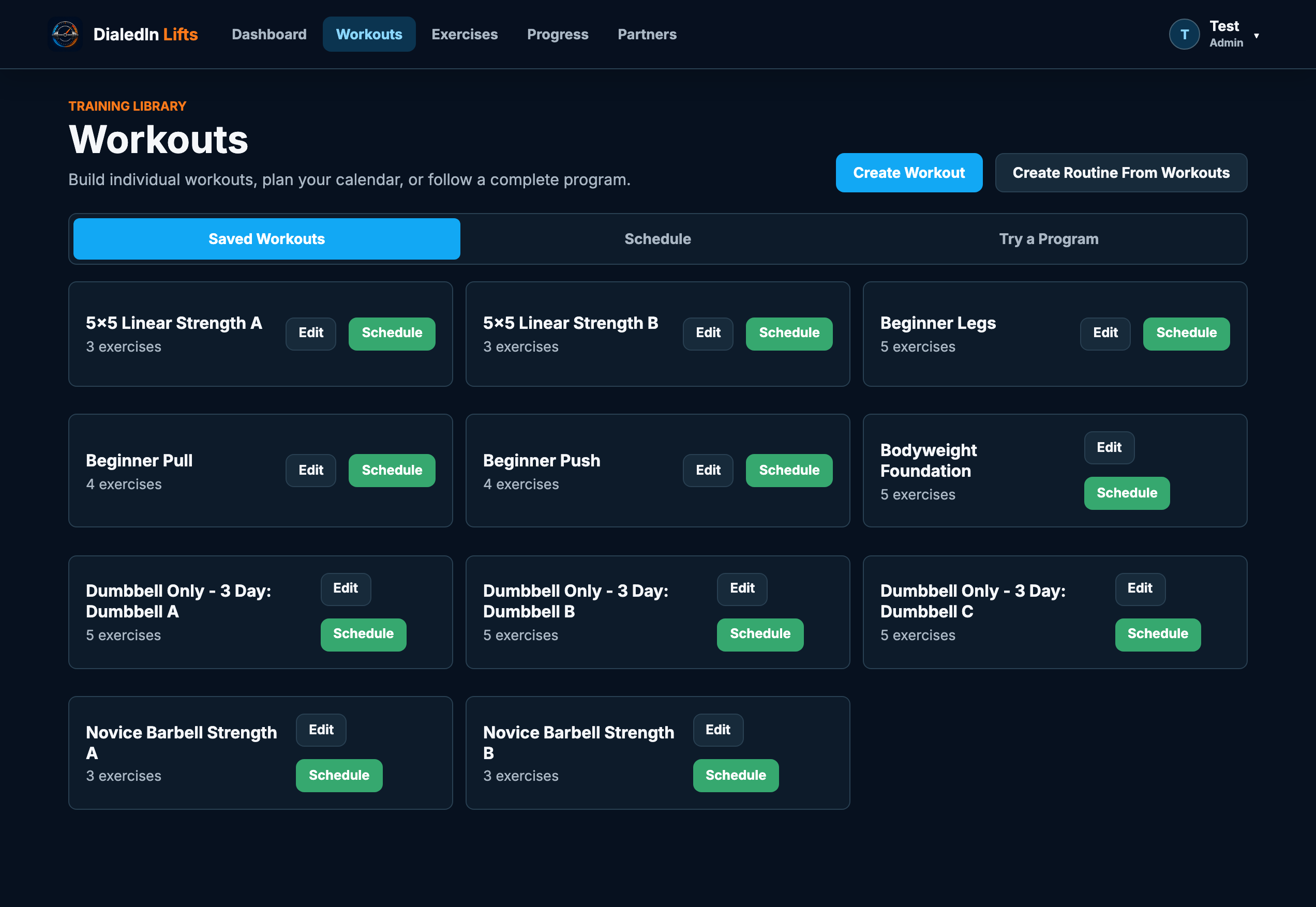
A library that works the way you do
Save every workout you build and drop it onto the calendar in seconds. Bundle your own templates into a repeating routine and run it like any other program.
- Reusable templates with supersets and rest targets
- One-tap scheduling, rescheduling, and canceling
- Build routines out of workouts you already wrote
- Starter templates included so day one isn't empty
Tuned to your preferences, not ours
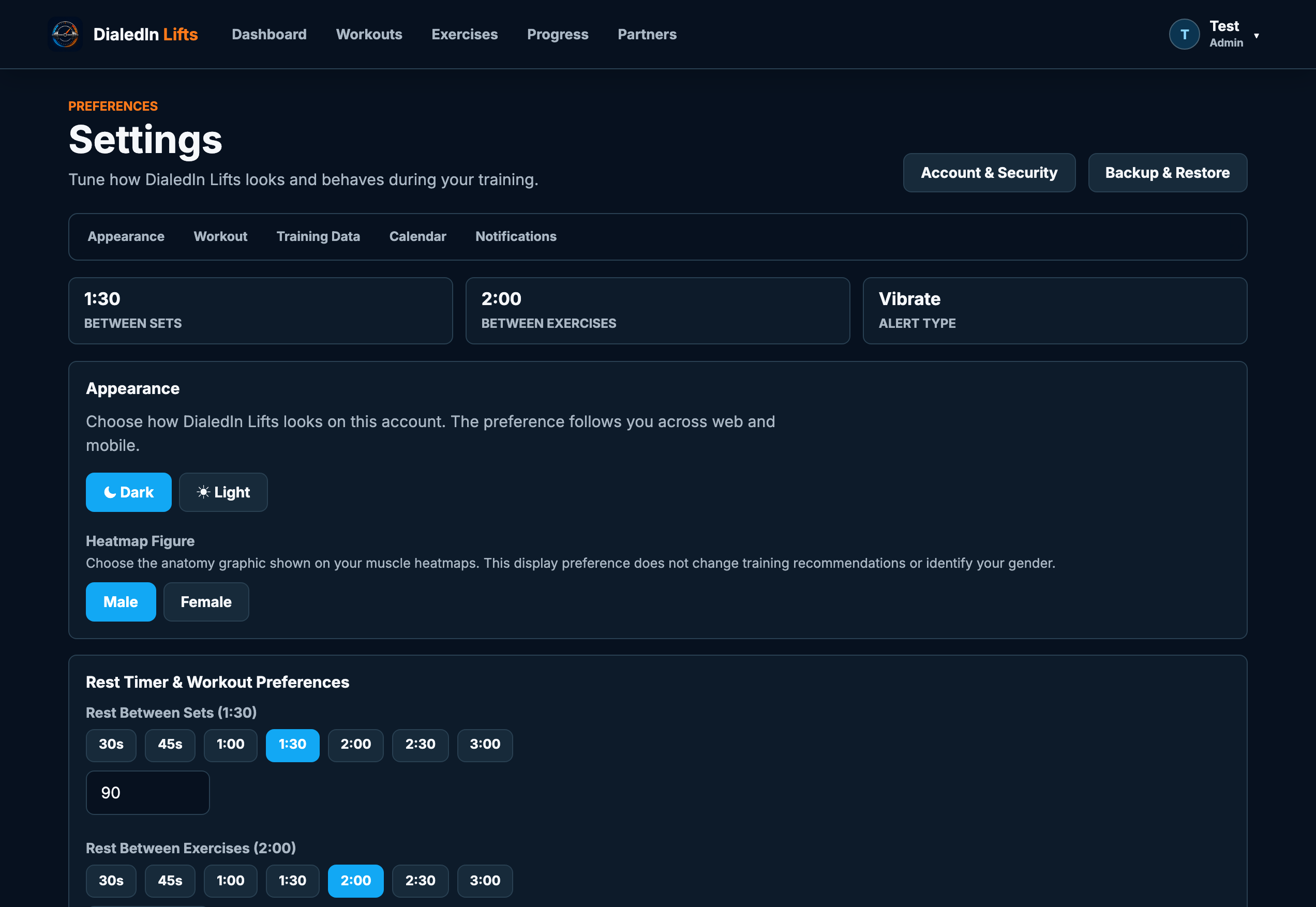
Rest timers, alert style, units, theme, heatmap figure, notifications, and which widgets appear on your Progress dashboard — set once and it follows you to mobile and the watch.
- Dark and light themes across web and mobile
- Per-set and per-exercise rest defaults
- Pounds or kilograms, plus meters, feet, or yards
- Two-factor login, backups, and data export
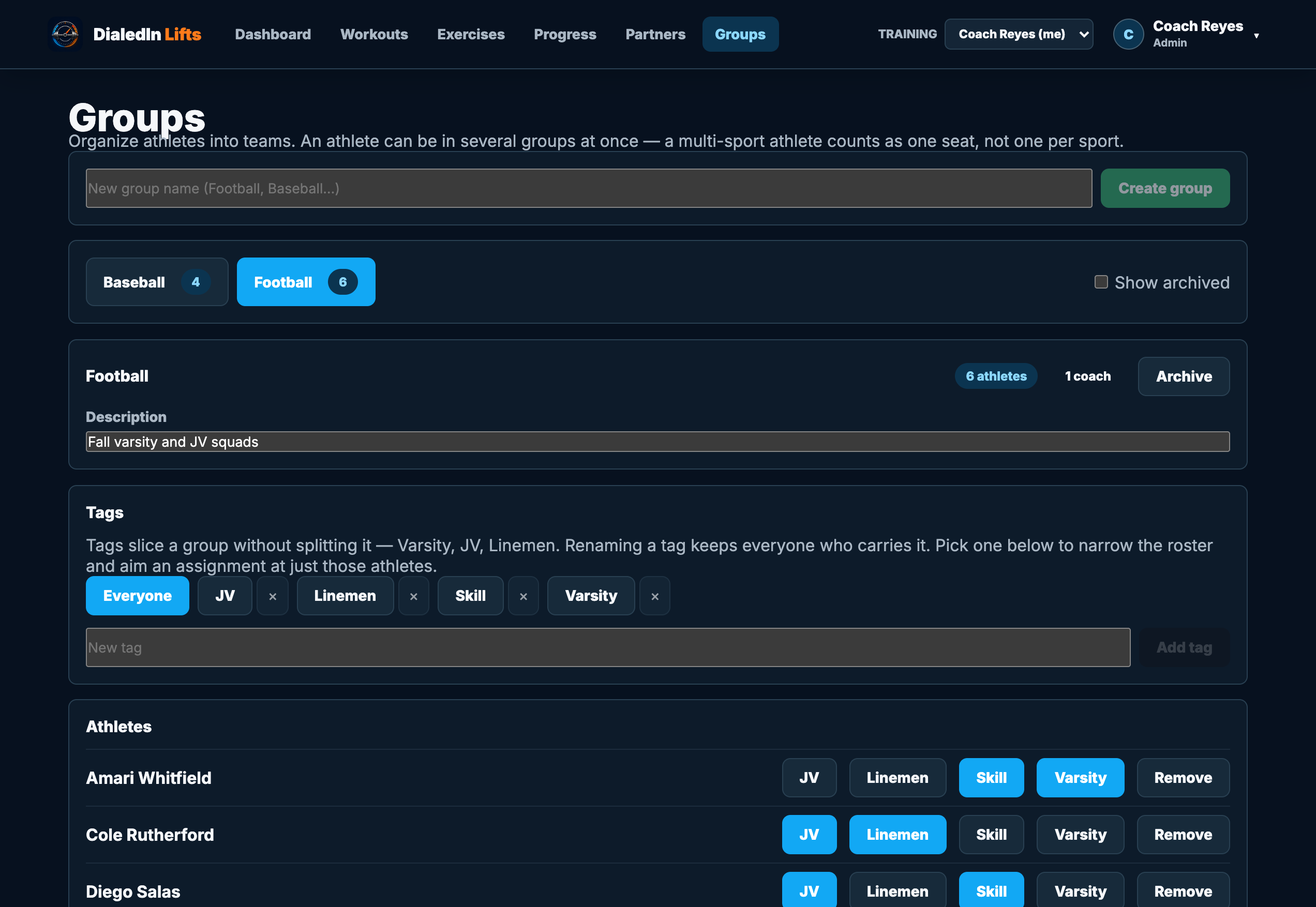
One membership, every team you coach
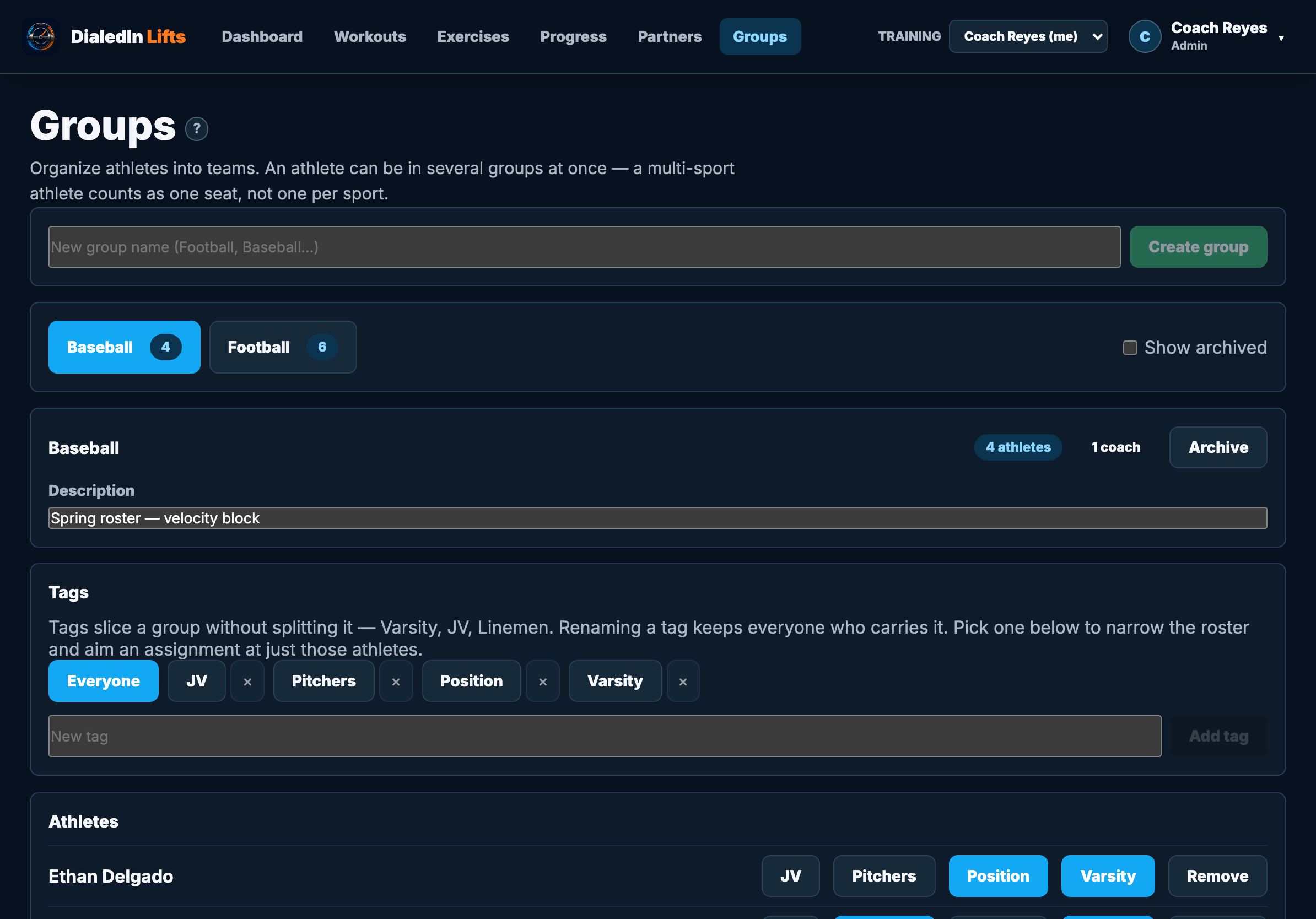
Split the roster into groups — football, baseball, the 6am class — and tag inside each one for Varsity, JV, or position. A two-sport athlete sits in both groups and still counts as one seat.
- A group per team, tags for the squads inside it
- Assign a program to the group or one tag
- Standing assignments catch athletes who join later
- Assistant coaches see only the groups they run
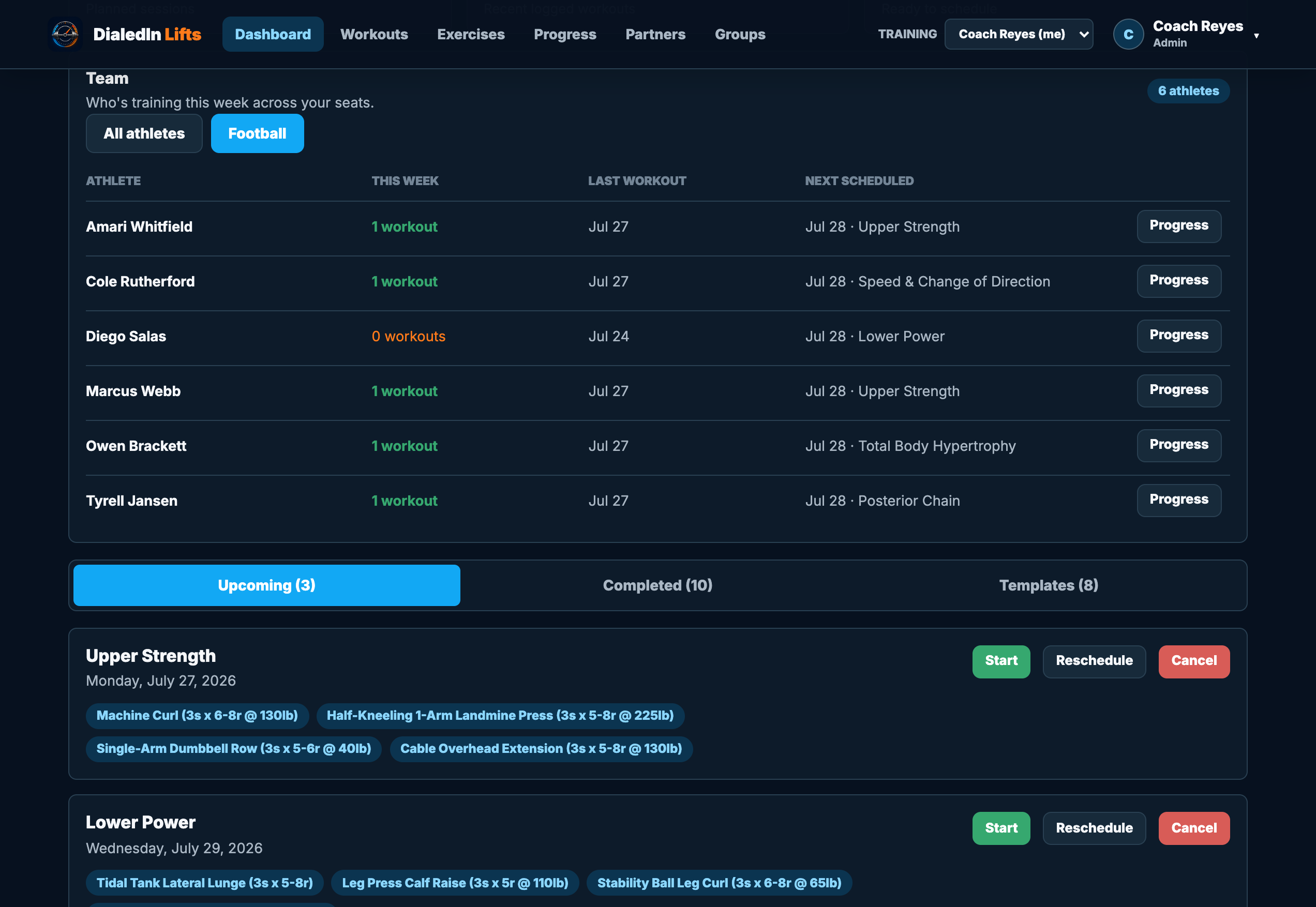
Know who actually trained
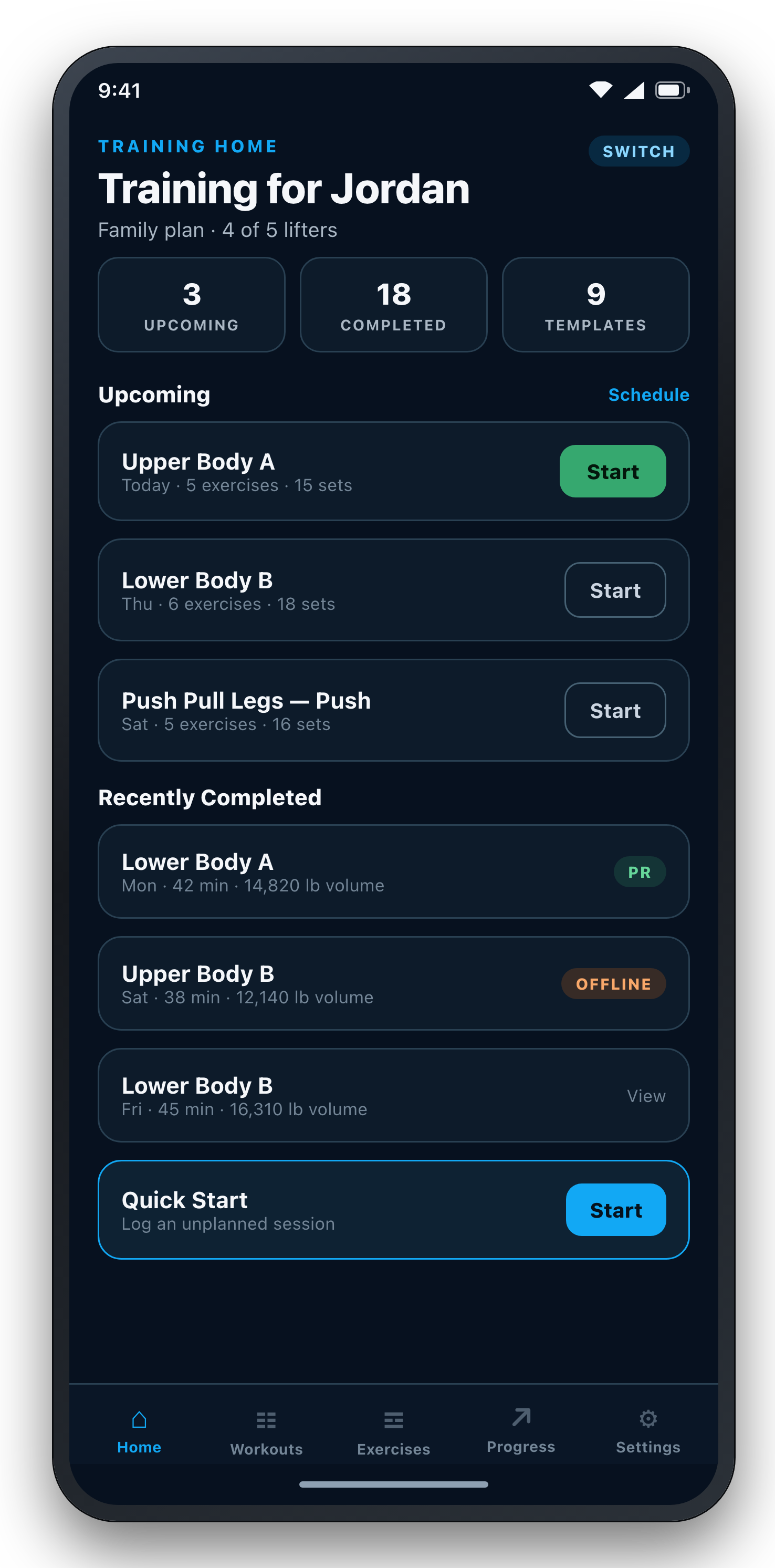
Filter the roster to one team and read the week at a glance: who lifted, who didn't, what each athlete has scheduled next. Chase the one athlete who's gone quiet instead of messaging everyone.
- Sessions this week, last workout, next scheduled
- Filter by group, then narrow by tag
- Jump straight into any athlete's progress
- Nudge a quiet athlete with a push notification
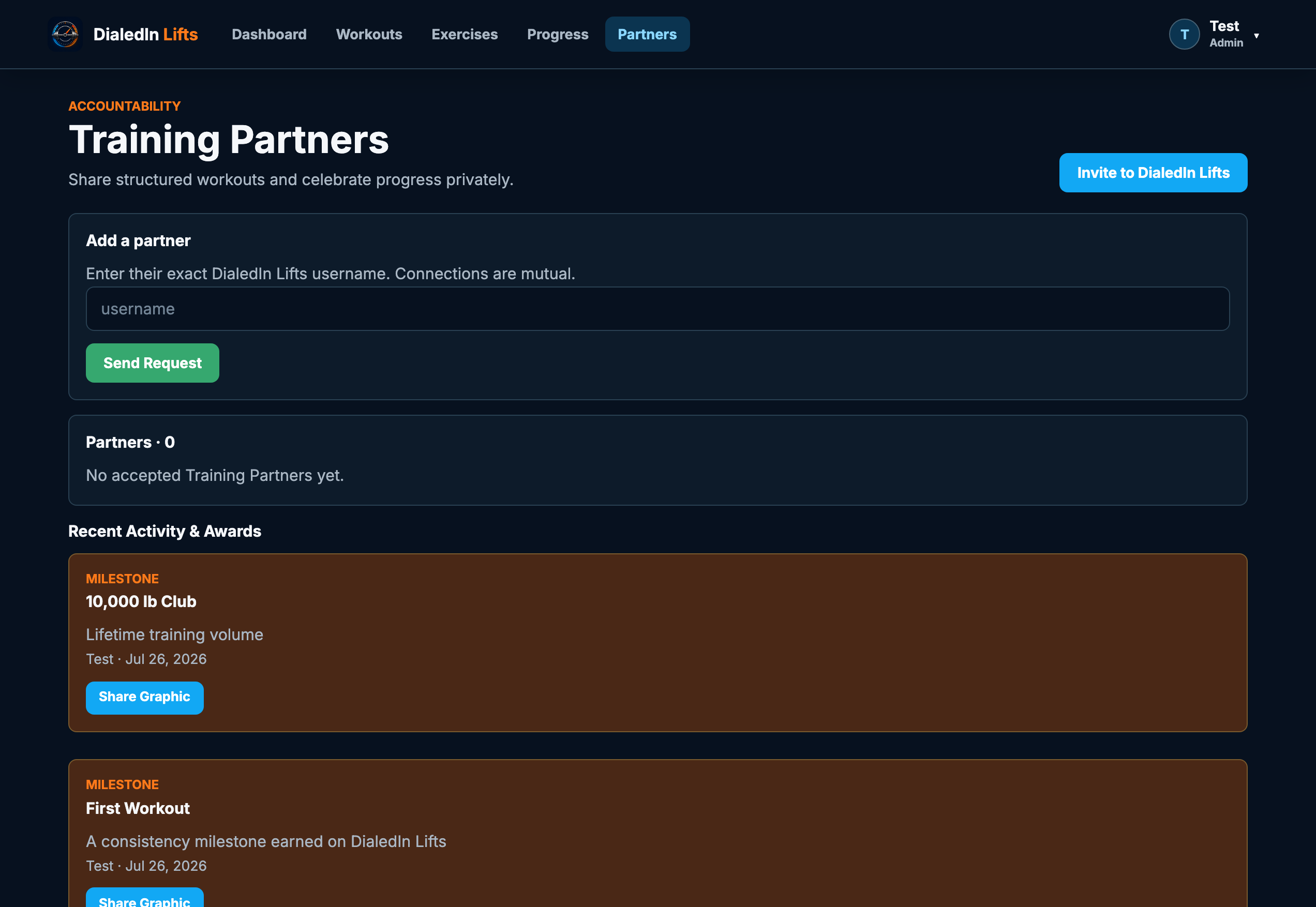
Lifting is easier when someone's watching
Add a partner by their exact username. Connections are mutual, private, and revocable — no public feed, no follower counts, no strangers.
Share the work, not your whole life
Send a structured workout straight to a partner's calendar — the whole thing, with sets, reps, and target loads converted to their units. They accept it, it lands on their schedule, and you both get credit when it's done.
- Mutual, invite-only connections by username
- Push a full workout to a partner's calendar
- Earned badges — streaks, tonnage, and the 1,000 lb club
- Share a workout or a milestone as a graphic
- Opt-in leaderboards for families and teams
- Leave any time — removal is one click
Your gym buddy, in your pocket
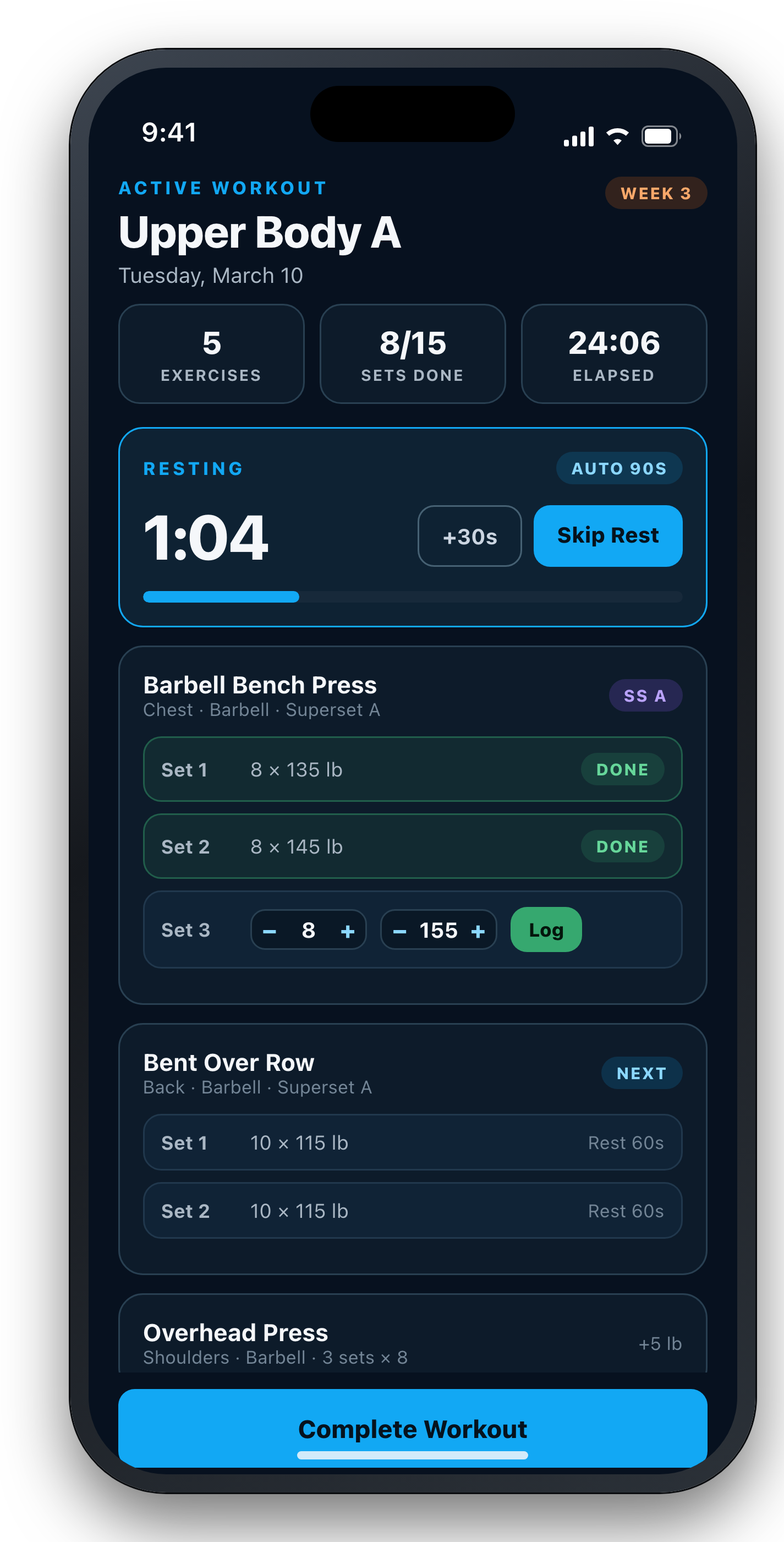
The mobile app runs your live sessions — sets, timers, notes, and progress — and keeps working when the gym Wi-Fi doesn't. On iPad and Android tablets it uses the full screen and rotates to landscape, which is how most coaches work a roster on the gym floor. Store listings are coming soon; the web app works in your phone's browser today.
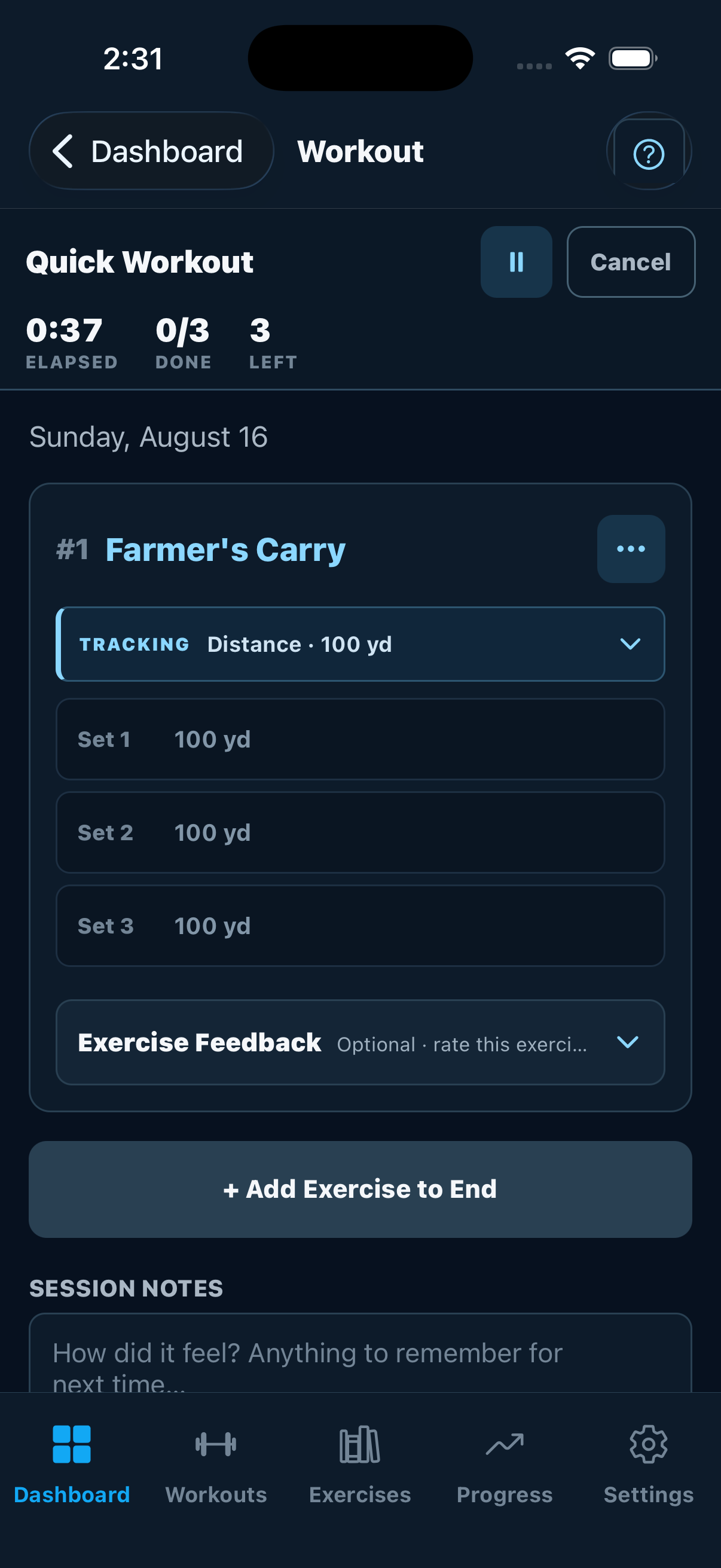
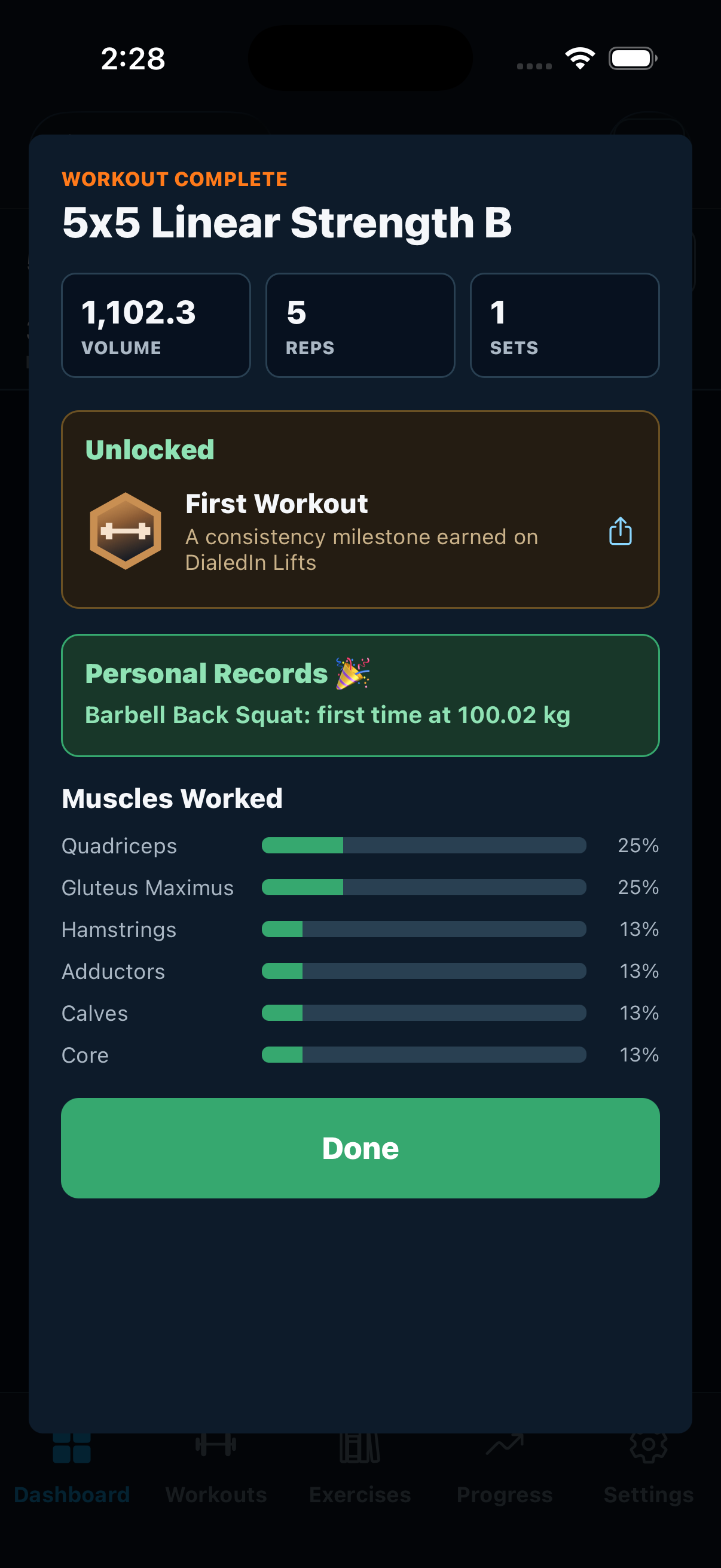
Inside a live session
Elapsed time, sets done and sets left stay pinned to the top with the pause button, so they don't scroll away mid-lift. Finished and upcoming sets fold down to one line each — the set you're on is the one taking up room. Everything else lives behind one button per exercise.
The rest of the app
A roster you can actually work from
Turn a tablet sideways and the wasted margins go away: the squad list, its tags, and the athlete roster are all on screen at once. Tag an athlete Varsity or Pitchers and aim the next block at just those players without leaving the page — which is how this gets used on a gym floor, one device in hand and thirty athletes in front of you.
Phones stay in portrait on purpose. Tablets rotate freely and split-screen alongside another app.
Interface previews are updated only after their corresponding flow is verified. Live-session screenshots are captured from the iOS app running on an iPhone 17 Pro; tablet and web screenshots are captured from the app at 1194×834 — an iPad in landscape.
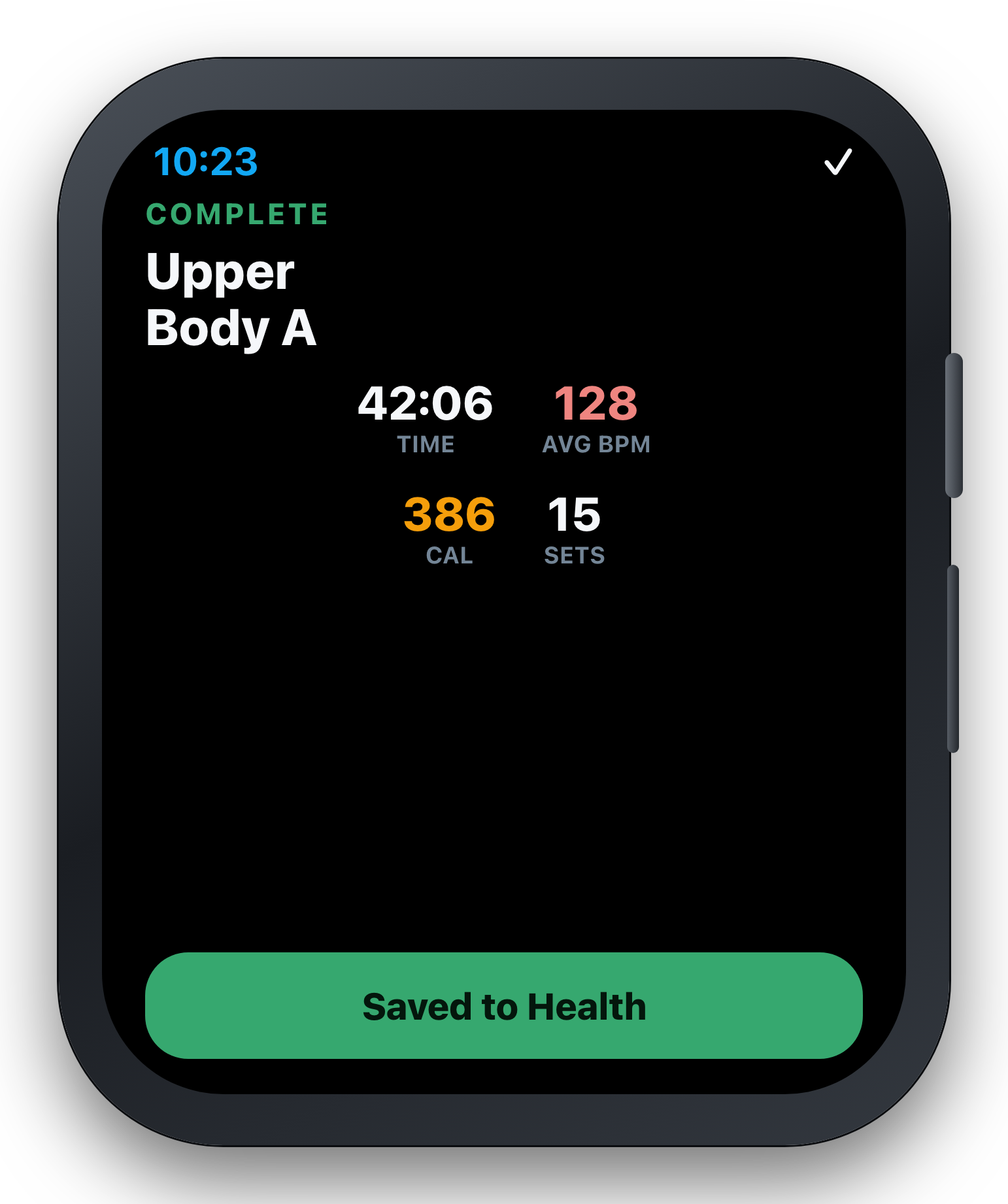
Train from the wrist — with or without the phone
Start a planned session on iPhone and the Watch becomes its live controller: reps, weight, timed sets, distance timing, EMOM, AMRAP, Tabata, For Time, exercise navigation, supersets, and rest alerts. When you truly leave the phone behind, Open Workout records duration, heart rate, calories, and RPE on the Watch and uploads the honest session summary when the iPhone is reachable again.
One app, three very different jobs
Stop guessing at the bar
Everything you need to run a serious training block without a spreadsheet.
- Pick a program or write your own
- Progression handled between sessions
- Heatmap catches what you're neglecting
- Import your history from Strong or Hevy
Five lifters, one membership
Parents and kids each get their own account, history, and progress — with an admin who can help.
- Separate logins and unique usernames
- Admins can plan and log for younger athletes
- Shared custom exercises and family routines
- Opt-in leaderboard for household bragging rights
Know who actually trained
Athlete seats sold in blocks of ten, with the roster tools to keep a whole squad on plan.
- Groups per team, tags for Varsity, JV, or position
- Assign a program to a group, a tag, or one athlete
- Assistant coaches scoped to their own groups
- Roster view of who trained this week
- Archive graduating athletes and free the seat
- School mode for FERPA, and parent review access
- Nudge an athlete who's gone quiet
Start free. Upgrade when it's earning it.
The free plan never expires and never asks for a card. Paid memberships add a 7-day free trial, and you can cancel any time.
Free
- 1 lifter account
- 3 saved workouts
- 3 logged workouts per week
- Full exercise library
- Progress charts & history
- Ready-made programs
- CSV import & export
Single
- 1 member seat
- Unlimited workouts & logging
- All 70 programs
- Full analytics & muscle heatmap
- Training partners & calendar feed
- Web + iOS + Android + Apple Watch
- CSV import & data export
Family
- 5 member seats
- Everything in Single, for everyone
- Family admin controls
- Plan and log for your kids
- Shared custom exercises & routines
- Household leaderboard
Coaching
- 10 athlete seats
- Coach admin dashboard
- Groups, tags & scoped assistant coaches
- Assign a program to a whole group
- Roster view of weekly training
- Group leaderboards & nudges
- School mode & parent access
- Sport-specific program library
🔒 Secure checkout by Stripe — your card details never touch our servers.
Prices in USD. Subscriptions renew automatically and can be managed or canceled any time from the billing portal. iOS subscriptions are available through Apple In-App Purchase. Coaching more than 10 athletes? Talk to us about team pricing.
Getting a roster set up?
Coaching memberships are sold in blocks of 10 athletes and you can buy one yourself in a couple of minutes. But if you are a school or district, need a purchase order or an invoice, or want someone to walk you through what we do and don't store about students before you commit — talk to us first. A real person answers.
Schools & districts
School mode, parent access, FERPA questions, and what happens to student records at the end of a season. Bring your technology director — we would rather answer it up front than after you have bought.
Email us about your schoolGyms & private coaches
Rosters larger than a single 10-athlete block, multiple coaches, or several locations under one membership. Tell us how your gym is organized and we will tell you how it maps.
Email us about your gymOr just write to info@madsportsdadstudios.com — no form, no sales sequence.
Before you sign up
What do I actually get on the free plan?
One lifter account, three saved workouts, and three logged workouts in any rolling seven-day period — plus the full exercise library, your workout history, and progress charts. It doesn't expire and it never asks for a card. Ready-made programs, unlimited logging, and CSV import/export are paid features.
Do I need the phone app?
No. The web app runs in any modern browser, including your phone's, and caches the app shell, workout reads, active draft, and queued completion for interrupted connections. The iOS and Android apps add deeper offline storage, push reminders, Apple Watch, and health-platform sync — store listings are coming soon.
Can I move my history from another app?
Yes. Paid memberships can import a CSV export from Strong or Hevy, and you can export your own DialedIn Lifts data whenever you want it.
How does the family plan work?
One membership covers up to five lifters. Each person gets their own login, workouts, history, and progress. Whoever creates the membership is the admin: they can add members, switch to another member to plan or log a session for them, and share custom exercises and routines with everyone.
Can I run more than one team on a coaching membership?
Yes. Create a group per team — football, baseball, the 6am class — and put athletes in as many as you need. Tags slice inside a group for Varsity, JV, or position, so you can assign a program to the whole squad or only the linemen. Assistant coaches get a login scoped to the groups they run: they see their own roster and leaderboard, not the rest of the school.
What happens to an athlete when the season ends?
Archive them. The seat frees up for next year's roster and nothing is deleted — their history, programs, and progress stay intact, so you can bring them back next season. You can also release an archived athlete: they get an emailed link to set a password and move their whole training history onto a free personal account of their own.
We're a school — what about FERPA and student privacy?
Turn on school mode and DialedIn Lifts switches off the features that would send a student's records outside your organization: athletes can only connect with each other, and leaderboards can be hidden entirely. A college whose athletes are adults can turn either back on. You can also invite parents to review their own child's training — they see everything, change nothing, use none of your seats, and their access ends automatically when the athlete turns 18. Anything that would disclose a student's name or performance outside the team waits on that parent's recorded approval, not the student's. Talk to us before you buy and we'll walk your district through what we do and don't store.
Is my training data private?
Your data stays inside your own subscription. Training Partner connections are mutual and revocable, leaderboards are opt-in, and there's no public feed. Admins see only their own family or roster, and an assistant coach sees only the groups they've been given. You can turn on two-factor login and export or delete your data.
What happens when the trial ends?
Paid memberships start with a 7-day free trial and then bill at the price shown above. Cancel before the trial ends and you're not charged. You can manage or cancel any time from the billing portal.
Ready to get dialed in?
Create a free account and log your first workout in the next five minutes. No card, no trial countdown, no sales call.
Start Free — No CardWant to understand it first? The help guides explain every feature — progression, groups, School Mode, guardian access — with diagrams, no account needed.